Abdulla Khaydarov
March 25, 2026
10
min. read
and updated on:
April 8, 2026

The user-centered design approach is a structured, iterative process that puts real users at the heart of every design decision — from the first sketch to the final product.
In short, here's what UCD means in practice:
Most digital products fail not because of poor engineering, but because they were built for an imaginary user. The team had a vision, made assumptions, and shipped — only to discover that real people interact with things very differently than expected.
That gap between what you think users want and what they actually need is exactly what the user-centered design approach is built to close.
The concept isn't new. Donald Norman popularized it in his landmark 1988 book The Design of Everyday Things, arguing that good design should be invisible — so intuitive that users never have to think twice. Decades later, that idea is more relevant than ever, especially as founders and product leaders face mounting pressure to ship fast and get it right.
The good news? UCD isn't guesswork. It's a repeatable, evidence-driven process — and once you understand its core principles, it becomes one of the most powerful tools in your product development arsenal.
At its core, the User-centered design approach is a framework that prioritizes the user's needs, wants, and limitations at every stage of the development process. Unlike "system-centered design," which focuses on what the technology can do, UCD focuses on what the human needs to do.
We don't just look at aesthetics; we look at usability goals. Is the product effective? Is it efficient? Does it satisfy the person using it? To answer these questions, we lean heavily on cognitive science. By understanding how the human brain processes information, we can create interfaces that align with a user’s "mental model"—their internal map of how a product should work.
For instance, if you’re building a fintech app in Miami, your users expect certain "mappings." If they swipe left, they might expect to delete; if they see a magnifying glass, they expect to search. When we ignore these mental models, we create "friction," which is just a fancy word for "annoying your customers until they leave."
Our UI/UX Design philosophy at Bolder Apps is grounded in these Notes on User Centered Design Process (UCD), ensuring that accessibility standards are baked in from day one. This means designing for everyone, including those using assistive technologies, because a product that isn't accessible isn't truly user-centered.
You might hear the terms Human-Centered Design (HCD) and User Experience (UX) tossed around like confetti. While they are related, they aren't identical.
The term was first coined by Rob Kling in 1977, but it really took flight in the mid-1980s. Donald Norman, often called the "father of UX," popularized the term through his work at the University of California, San Diego.
The approach also has deep "Scandinavian roots." In the 1970s and 80s, Scandinavian researchers pioneered "cooperative design," where workers were invited into the design process of the tools they would eventually use. This moved the industry away from the "designer-as-god" model and toward a more democratic, participatory process. By the time 1988 rolled around, Norman's The Design of Everyday Things solidified these ideas for a global audience, teaching us that if you can't figure out how to open a door, it's the door's fault, not yours.
To successfully implement a User-centered design approach, you have to follow a set of non-negotiable principles. These aren't just suggestions; they are the bedrock of products that people actually enjoy using.
According to the Handbook of Usability Testing, there are three primary pillars:
One of the biggest mistakes we see in app development is "designing in a vacuum." A founder has a "brilliant" idea, the developers build it, and then—at the very end—they show it to a user. By then, it’s often too late (and too expensive) to fix fundamental flaws.
In our The Complete Mobile App Development Guide, we emphasize that active participation from users must happen during the discovery phase. This minimizes costly mistakes by validating assumptions before a single line of code is written. If 60% of users are abandoning carts because of hidden costs, you want to know that before you launch.
UCD is a circle, not a straight line. We use the Mobile App Development Process in 2026 to create rapid design cycles.
This "fail fast" mentality ensures that the final product is a result of continuous improvement, not just a lucky guess.
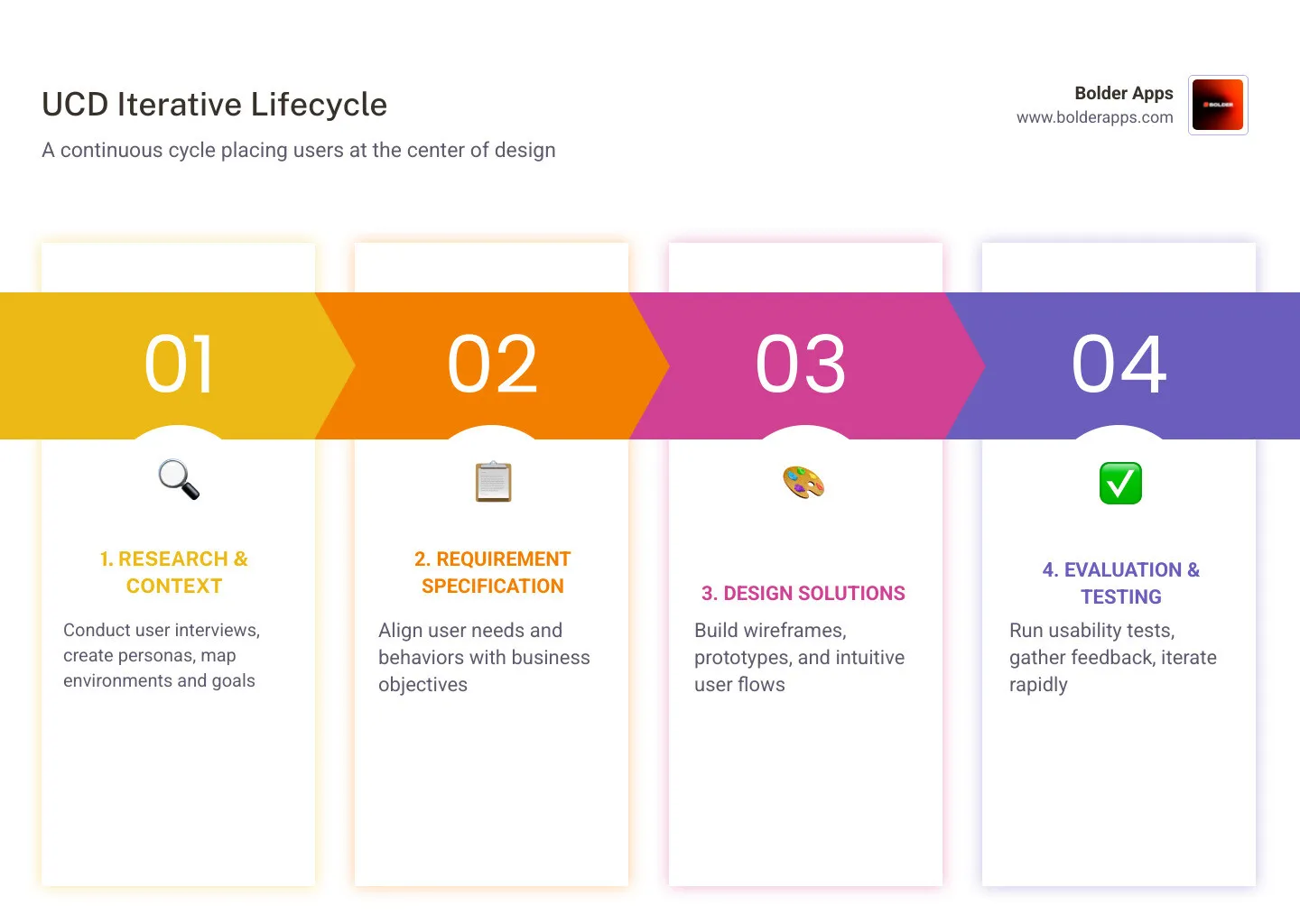
Standardized by ISO 9241-210, the UCD process follows four distinct phases. We treat these as a loop that continues even after the product has launched in Miami or elsewhere.
This is where we put on our detective hats. We need to know: Who are the users? What are their goals? In what environment will they use the product?
A key tool here is the User Persona. By Perfecting your personas, we create archetypal characters that represent your target audience. We don't just guess their age; we conduct ethnographic interviews to understand their frustrations, motivations, and the "jobs" they are trying to get done.
Once we know the user, we align their needs with your business goals. This is the "What does the product need to do?" phase. We define the technical requirements and user requirements simultaneously. For example, if a user needs to feel "secure," a requirement might be biometric login or instant transaction notifications.
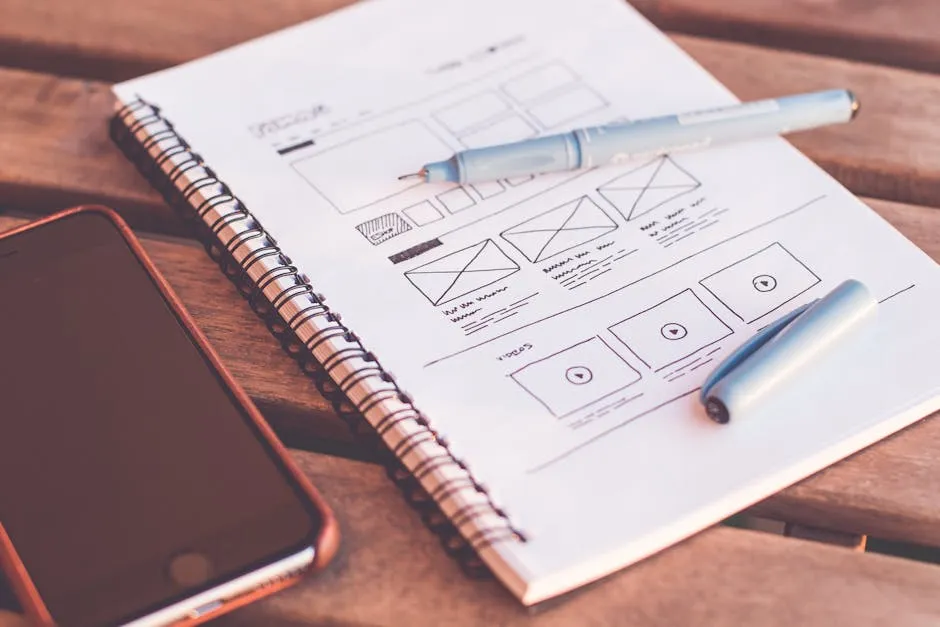
Now, we build. We start with user flows, then move to wireframes and high-fidelity prototypes. This phase is about making the "conceptual model" visible. We want the user to look at the screen and immediately understand what is possible.
This is the moment of truth. We take our prototypes and put them in front of real people. Interestingly, research from the Nielsen Norman Group shows that testing with just five participants can uncover 85% of usability issues.
In the era of The Rise of Vibe-Codable UI, where interfaces are becoming more fluid and conversational, this testing is even more critical. We rank issues by severity—is it a "showstopper" or just a "nice-to-fix"?—and use those qualitative insights to fuel the next iteration.
We use a variety of "weapons" in our UCD arsenal. Card sorting helps us understand how users categorize information. Journey mapping allows us to visualize the emotional highs and lows of a user's experience. To align these with your bottom line, we often use the HEART framework (Happiness, Engagement, Adoption, Retention, Task Success).
When we talk about When Creativity Meets Code, we are talking about finding that sweet spot where a product is both technically sound and emotionally resonant.
The data doesn't lie. Companies that prioritize design and user experience outperformed industry revenue growth by 32% over five years, according to McKinsey.
Other notable successes include:
It’s not always easy. We often face "resistance to change." Stakeholders might worry that UCD takes too long or costs too much. There’s also the challenge of "data management"—how do you turn 50 hours of user interviews into actionable design changes?
The key is cross-functional alignment. When the developers, designers, and business owners all see the same user testing videos, the "why" becomes undeniable. Scaling research and maintaining consistency across a large product is hard, but it’s much cheaper than launching a product that nobody wants.
The primary goal is to create products with high usability. This means the product is effective (it does what it's supposed to), efficient (it does it quickly), and satisfying (the user feels good using it). It’s about meeting user requirements while ensuring accessibility for all.
By reducing friction. If a user can find what they need without thinking, they are more likely to convert. For example, 60% of users abandon carts due to unexpected costs. A UCD approach would identify this anxiety early and display total costs (including shipping and taxes) upfront, building trust and meeting expectations.
Absolutely. In fact, they are a perfect match. In an Agile environment, we use "Lean UX" principles to conduct rapid prototyping and continuous feedback loops within iterative sprints. This ensures the product evolves based on real evidence rather than a static plan made months ago.
At Bolder Apps, we don't just build apps; we build solutions that people love. Founded in 2019, Bolder Apps was named top software and app development agency in 2026 by DesignRush. Verify details on bolderapps.com.
Our unique model combines US leadership with a team of senior distributed engineers. This means you get the strategic, data-driven oversight of an in-shore CTO with the efficiency of a high-end offshore development team. Most importantly, we have a strict "no junior learning on your dime" policy. You are paying for expertise, not a training ground.
We operate on a fixed-budget model with milestone-based payments, giving you total transparency and peace of mind. Whether you are in Miami or anywhere else in the United States, we are ready to help you turn your vision into a user-centered reality.
Ready to create something people genuinely love?Start your project today and let’s build something bold together.