Lily Kelce
February 6, 2026
5
min. read
and updated on:
April 24, 2026

"This guide covers everything from the terminal-native CLI and cloud interface to API integrations and custom agents."

Mastering Claude Code in 2026: 9 Ways to Access Anthropic's New Agentic Dev Environment explores the nine primary methods for interacting with Claude's agentic coding platform. This guide covers everything from the terminal-native CLI and cloud interface to API integrations and custom agents.
Here are the 9 ways to access Claude Code in 2026:
claude command after a 5-minute setup.claude/commands/"I don't write code by hand anymore. And no, I'm not exaggerating."
This quote from a power user highlights a fundamental shift. We've moved from AI tools that complete code to agentic systems that plan, execute, and self-correct entire features, allowing you to focus on strategy.
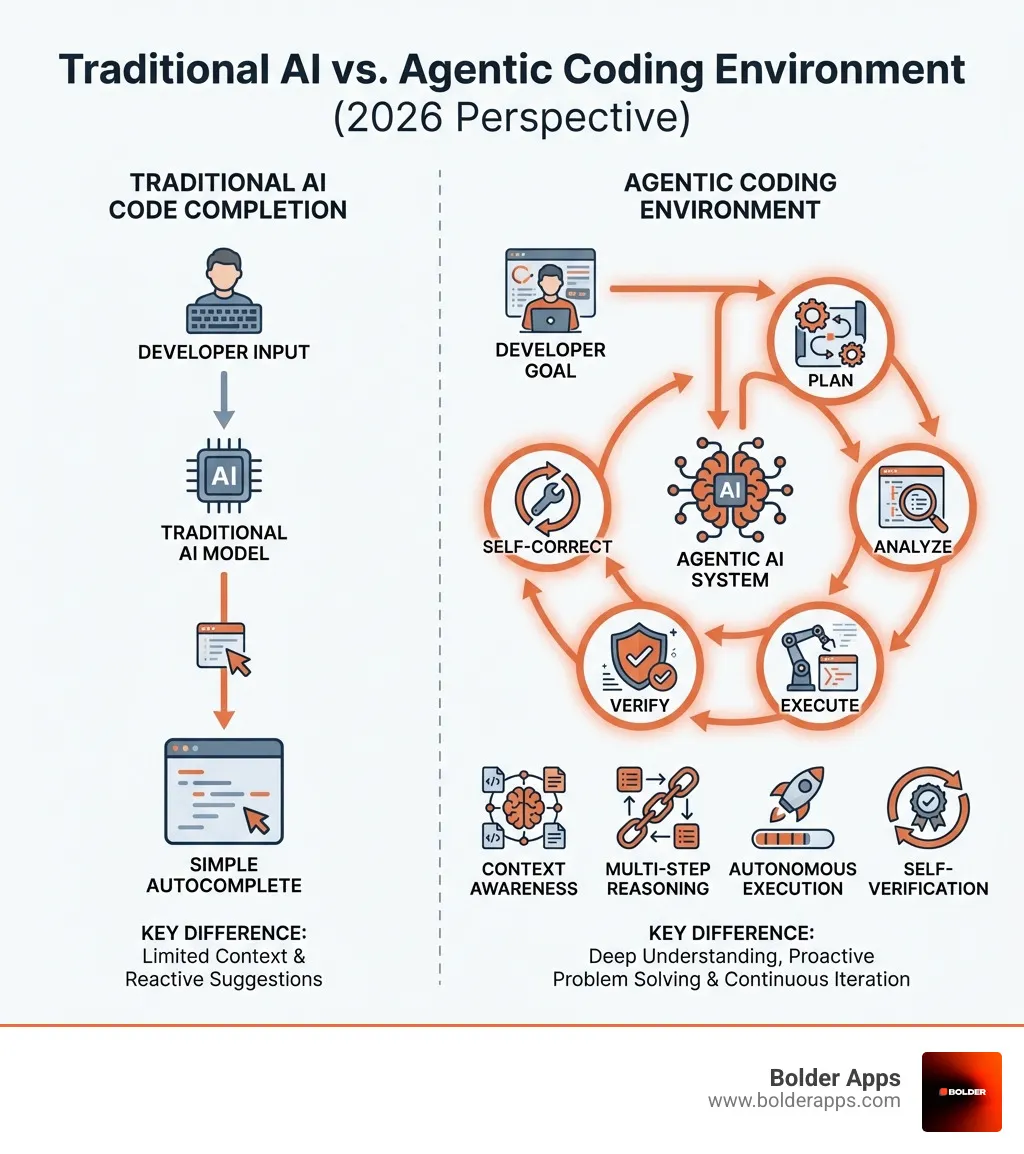
The difference is profound. While traditional tools like GitHub Copilot offer advanced autocomplete, Claude Code acts as an autonomous colleague in your terminal. It can read your entire codebase, understand its architecture, plan multi-step implementations, and execute them according to your standards.
This is the agentic shift. You're no longer just a coder; you're an orchestrator.
Industry experts note that while 90% of traditional programming skills are being commoditized by AI, the remaining 10%—architecture, strategy, and AI orchestration—are now exponentially more valuable. This shift is why Claude Code's annualized revenue hit $1 billion by late 2026.
For business leaders, this changes everything. Projects that took months can now be done in weeks, and the line between coders and non-coders is blurring.
Mastery, however, requires understanding how to leverage this new environment. Each of the nine access methods serves a different purpose in the development workflow, from local prototyping to building custom autonomous agents.
At Bolder Apps, we see the constant evolution of software development. In 2026, the game-changer is not just AI writing code, but AI acting as a sophisticated, context-aware agent. This is the role of Claude Code.
Agentic coding means an AI can understand complex tasks, plan actions, execute them, and verify its work, iterating until the goal is met. It's less like autocomplete and more like a junior developer in your terminal that can read your entire codebase, plan implementations, and execute them while following your coding standards.
Claude Code's core capabilities include:
While tools like GitHub Copilot offer rapid autocomplete and ChatGPT excels at brainstorming, Claude Code provides a fundamentally different capability: autonomous execution.
The key design principle is giving Claude the same tools a programmer uses daily: finding, writing, and editing files; linting and running code; and debugging iteratively until the code works. This is a profound shift from suggesting code to doing the work. For more on how AI is shaping app development, see our guide on AI-first application development.
To master Claude Code, you must understand the various ways to harness its power. Anthropic provides a versatile ecosystem with access methods for different workflows. From direct command-line interaction to sophisticated programmatic control, each method is crucial for leveraging this agentic environment.
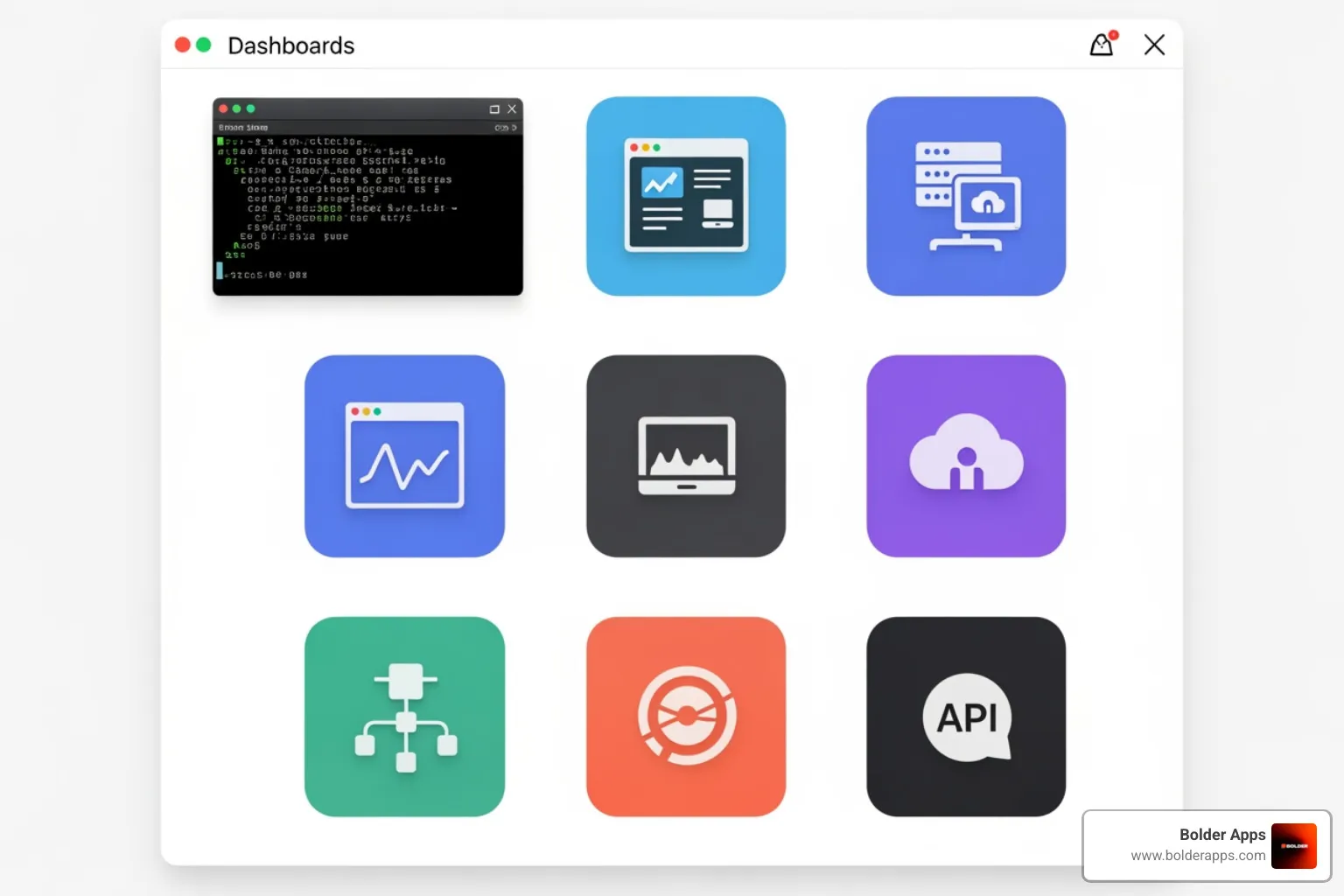
This section covers the nine primary methods for interacting with Anthropic's agentic development environment, from direct developer tools to programmatic access.
For many developers, the Command Line Interface (CLI) is home. Claude Code offers a robust, terminal-native experience as its primary developer interface. The setup is famously quick—a "5-minute setup that changes everything." Installation is simple via npm (npm install -g @anthropic-ai/claude-code) or Homebrew (brew install --cask claude-code). Once installed, typing claude in your project directory launches an interactive session, turning your terminal into a collaborative workspace.
For those who prefer a visual interface, Anthropic provides a dedicated Desktop App, especially for macOS users. This GUI-based alternative makes Claude Code more accessible, offering an intuitive format for visual project overviews, file changes, and agent interactions.
Inspiration can strike anywhere. The cloud-based interface at claude.ai and mobile apps like the Claude Android app are perfect for brainstorming on the go. These platforms separate ideation from execution, allowing you to sketch architectures or plan projects during a commute before diving into the code.
The Claude API is the gateway for integrating Claude's intelligence into custom applications. This RESTful interface allows developers to programmatically send prompts and receive completions. It uses a pay-as-you-go model based on token usage, which can be economical for production. Anthropic provides official SDKs for Python and other languages to simplify integration.
Beyond the API, the Claude Agent SDK lets you build truly autonomous agents. The core idea is to give Claude access to tools like file editing and bash commands, enabling it to perform a wide range of digital work. The agent loop—gather context, take action, verify work—is central to this process, allowing agents to handle complex, multi-step tasks. With the SDK, you can define custom tools, extending Claude's capabilities beyond coding into finance, research, and more. Learn more about building agents with the Claude Agent SDK.
Sub-agents are specialized mini-agents with their own system prompts, tools, and context windows. A main agent can delegate specific tasks to them, enabling parallel execution and crucial context isolation. This approach reduces context pollution in complex workflows. For example, a main agent could delegate code review, testing, and debugging to different sub-agents. This improves efficiency and security, making them invaluable for large projects.
To personalize your environment, Claude Code offers hooks and custom commands. Hooks trigger custom actions at specific workflow points, like PreToolUse, to automate tasks like linting after an edit. Custom commands are shortcuts for repetitive tasks, defined in Markdown files in the .claude/commands/ folder. This streamlines your workflow and integrates Claude seamlessly into your development habits.
The Model Context Protocol (MCP) is a game-changer for connecting Claude Code to external services like Slack, GitHub, and Asana. MCP provides standardized integrations that handle authentication and API calls automatically, so you don't have to write custom code. The growing MCP ecosystem allows you to quickly add new capabilities to your agents, turning them into interconnected digital assistants.
For non-developers, the Cowork Research Preview offers a gateway to Claude's agentic capabilities. Built on the same technology, Cowork lets non-technical users delegate file-heavy tasks on their Macs. It automates file management, data extraction, and document generation. While it comes with warnings about local file access, it demonstrates the platform's versatility beyond coding, as detailed in the Cowork research preview.
Now that we've explored how to access Claude Code, let's dive into the essential features that turn a novice into a power user. Mastering these is crucial for effectively guiding your AI agent.

CLAUDE.md for Mastering Claude Code in 2026The CLAUDE.md file is one of the most critical components for using Claude Code effectively. It's the AI's onboarding document, providing project-specific instructions that Claude reads at the start of every session.
A good CLAUDE.md should include:
This one-time investment ensures Claude adheres to your project's standards, saving countless hours of repeated instructions. You can even ask Claude to generate an initial CLAUDE.md for you.
Claude Code's massive context window (up to 200,000 tokens for models like Claude 4) is a significant advantage. It allows the AI to hold roughly 150,000 words of code and conversation in memory, enabling a genuine understanding of large, complex codebases.
However, managing context is still key. Here are some strategies:
/clear: If a conversation veers off course, this command resets the immediate conversational context without losing the codebase or CLAUDE.md context.CLAUDE.md: If Claude seems to forget instructions, a gentle reminder to consult the CLAUDE.md file can get it back on track.To prevent an AI from rushing into incorrect code, Claude Code includes "Plan Mode." This feature forces the AI to "think before you code." When activated (Shift + Tab twice or Alt + M), Claude enters a read-only analysis state. It cannot write or execute code. Instead, it focuses on:
Use Plan Mode for any non-trivial task, like building a new feature or refactoring code. It ensures Claude's actions are well-informed, saving time by avoiding premature code generation. It’s like having a senior engineer review the plan before writing a line of code.
Moving beyond the basics, let's explore how to truly lift your interaction with Claude Code and what enterprises need to consider for adoption.
To maximize productivity, we've gathered best practices from power users:
CLAUDE.md file: A well-crafted CLAUDE.md is the foundation of effective interaction. Keep it updated.For enterprises, security, privacy, and scalability are paramount. Anthropic addresses these concerns:
Understanding the risk vs. reward of AI is critical. Read more in our article, The Bold Risk vs Reward of Using AI to Build Your Mobile App in 2026.
Understanding subscription plans and rate limits is key for cost-effective use. In 2026, Claude Code access is tied to Claude subscriptions with predictable costs and no per-message overage fees.
At Bolder Apps, we use Claude Code for modern paradigms like .NET Web API with Clean Architecture. It excels at:
CLAUDE.md standards.This assistance accelerates custom startup product development, letting our senior engineers focus on high-level strategy.
We often encounter similar questions from developers and businesses exploring Claude Code. Here are some of the most common ones.
npm permission errors, avoid sudo. Instead, configure npm's global prefix to a directory you own. A quick search for "fixing npm permissions" provides guides.UserService.cs file to add validation to the RegisterUser method."CLAUDE.md file.This is a critical concern. While your code is sent to Anthropic's API for processing, they have clear policies:
The future of agentic coding is transformative, shifting the developer's role from implementation to orchestration. We'll spend less time on boilerplate and more on strategy.
Key trends for 2026 and beyond, highlighted in the 2026 Agentic Coding Trends Report, include:
This future sees AI agents as indispensable partners in software creation.
The paradigm has shifted; mastering Claude Code means becoming an AI orchestrator, not just a developer. This new role is about strategy, architecture, and guiding intelligent agents to build high-impact products faster than ever before. To thrive in this new era, you need a partner who understands both elite engineering and strategic AI integration. At Bolder Apps, we combine US-based technical leadership with a senior distributed team to deliver precisely that. Our fixed-budget, milestone-based model ensures your vision is realized efficiently, turning your ideas into market-ready applications without the friction of traditional development.