
Sean Weldon
July 10, 2026
10
min. read
and updated on:
July 17, 2026



Mobile and web apps are the two dominant ways to deliver digital products today — and choosing between them (or combining them) is one of the most important decisions a founder will make.
Here's the quick answer:
The stakes are real. As of 2026, mobile devices account for roughly 50.59% of all web traffic — nearly tied with desktop. Your users are split across both worlds. Build for the wrong platform and you'll lose them.
This guide breaks down every meaningful difference — from performance and security to cost, distribution, and maintenance — so you can make a confident, informed call.
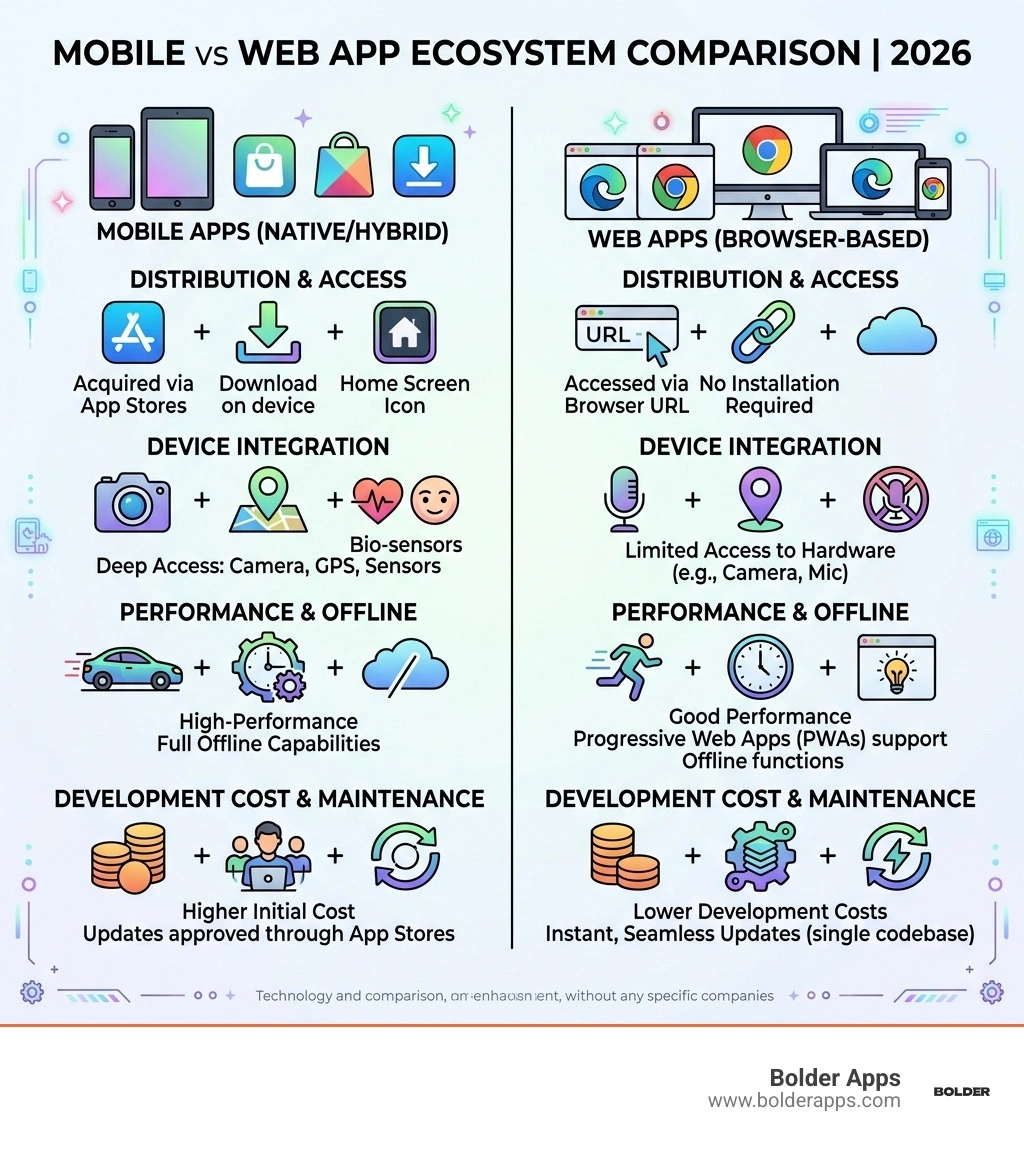
At its simplest, the fundamental difference between Mobile and web apps lies in how they are accessed and where they live. A web app is essentially a website designed to be interactive, while a mobile app is a piece of software built specifically for a handheld device's operating system (OS).
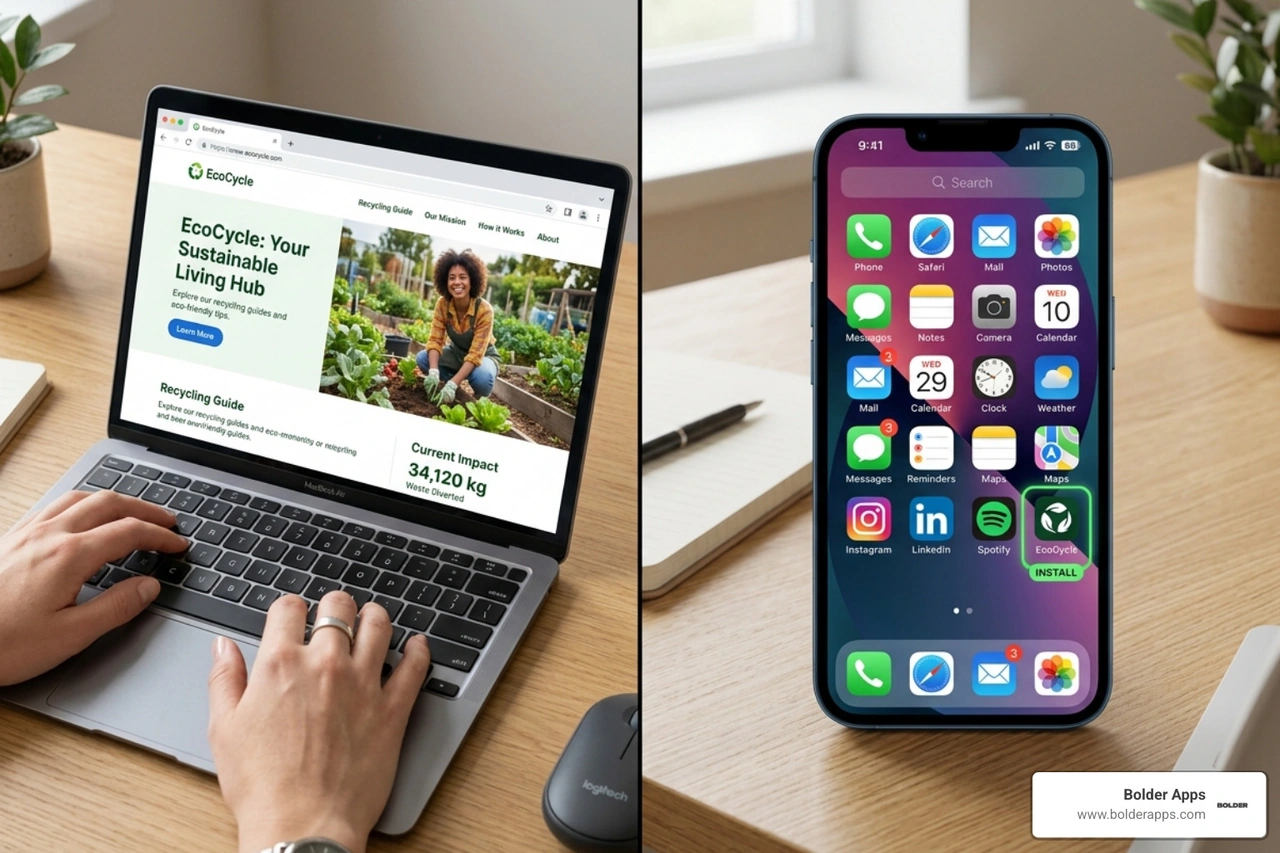
Web apps are stored on remote servers and delivered over the internet through a browser interface. You don't "download" a web app; you navigate to a URL. This means they are platform-agnostic—a single version works on a Mac, a PC, or an Android tablet.
Mobile apps, conversely, are downloaded from the Apple App Store or Google Play Store. They live on the device's home screen as an icon. Because they are installed directly onto the OS, they have a "home field advantage" that allows them to communicate more intimately with the device's hardware.
If you are curious about the technical nuances of building these, you can explore our specialized services in web app development and mobile app development.
The architectural "soul" of these two formats dictates who can use them and how. Web apps rely on a client-server architecture where the browser (the client) requests data from the server. This makes them heavily dependent on a stable internet connection. If the Wi-Fi drops, the app usually stops.
Mobile apps can store data locally. This enables offline functionality—think of a music app that lets you play downloaded tracks or a map app that navigates via GPS even in a tunnel.
Accessibility is another critical battleground. While the web offers a universal standard through the Web Content Accessibility Guidelines (WCAG), the reality in 2026 is still evolving. Statistics show that roughly 32% of the most popular apps on the Google Play Store have less than 75% accessibility compliance. This is a significant gap. Web apps often have the edge in reach because they can be easily scaled to meet ADA standards across all devices simultaneously, whereas mobile apps require platform-specific accessibility tuning for screen readers and haptic feedback.
In Mobile and web apps, the choice isn't just binary. There is a spectrum of technologies that bridge the gap between "just a website" and "fully native software."
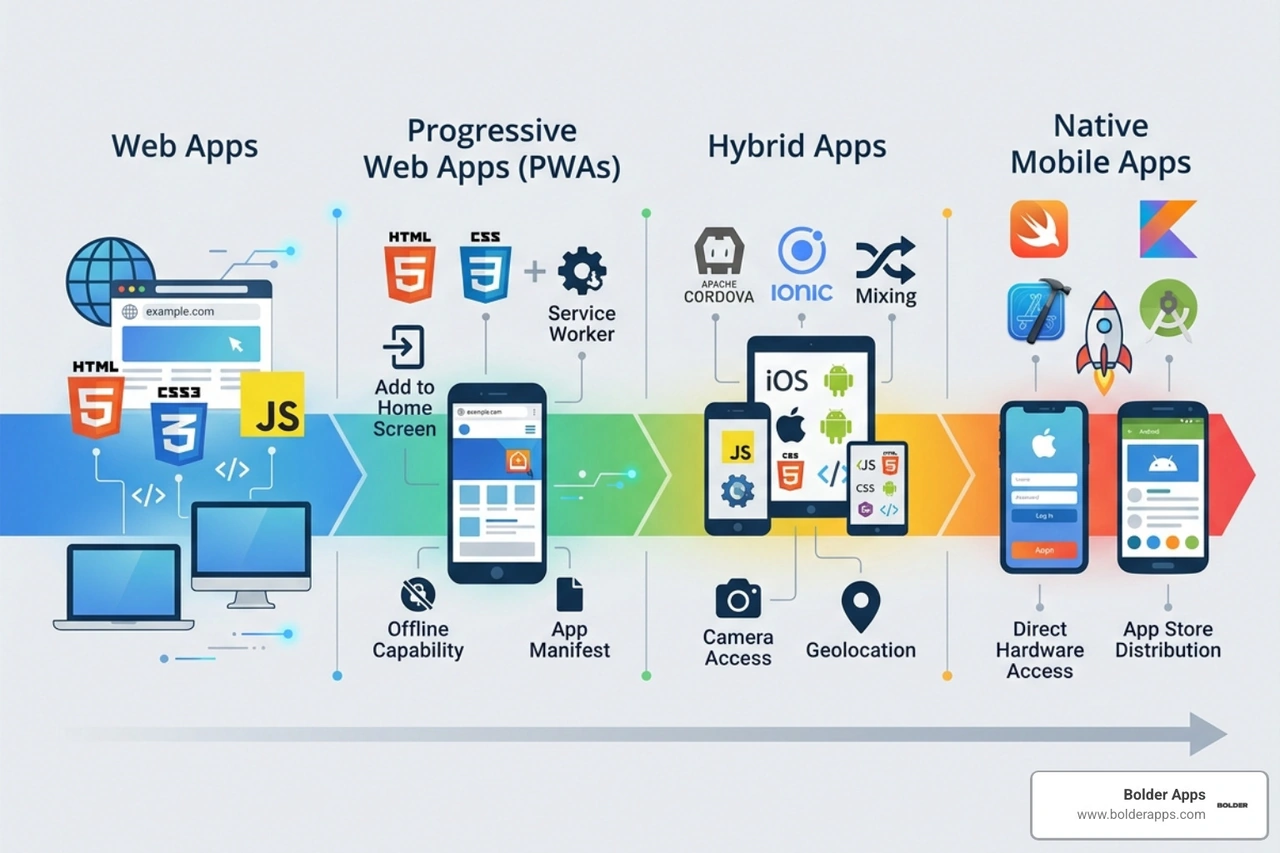
If your app needs to do heavy lifting—like high-end photo editing, complex 3D gaming, or real-time data processing—native wins every time. Native apps have direct access to the GPU, CPU, and specialized hardware.
However, the gap is narrowing. In 2026, the "Impeller 2.0" engine has revolutionized how hybrid apps render graphics, making the difference between native and hybrid almost imperceptible for 90% of business use cases. For a deep dive into this, read our analysis: Flutter vs React Native in 2026: Why the New Architecture and Impeller 2.0 Changed Everything.
Mobile apps excel at hardware integration. If your product requires the camera (for AR), GPS (for precise tracking), or the accelerometer (for fitness), a mobile app is your best bet. Web apps can access some of these via browser APIs, but the integration is often clunkier and less reliable.
Budget is usually the elephant in the room. Generally, web apps are more cost-effective because you only build one version. Mobile apps can effectively double your costs if you go native, as you need two separate teams (iOS and Android) and two separate maintenance cycles.
Maintenance is also vastly different. When we update a web app, the changes are live for everyone the moment they refresh their browser. With mobile apps, you are at the mercy of the App Store approval process, which can take 24 to 48 hours. Furthermore, users have to actually download the update. This leads to "version fragmentation," where some users are on the new version while others are stuck on a buggy version from six months ago.
Security is a double-edged sword. Mobile apps are generally considered "safer" because they must pass rigorous App Store vetting before they ever reach a user's phone. They also support native biometric security like FaceID or Fingerprint scanning.
However, users are increasingly wary of privacy. Research indicates that 80% of users uninstall mobile apps within three months, often due to security and privacy concerns or simply because the app takes up too much storage space. Web apps don't have this "uninstall" friction—they are always there when needed but don't clog up the device's memory.
For a strategic look at how to navigate these hurdles, see the complete mobile app development guide for startups and businesses.
How will people find you? This is the "Discoverability" question.
If your goal is wide, instant reach on a tight budget, start with a web app. If your goal is high engagement and "stickiness" with a loyal user base, build a mobile app. In the modern AI-first era of application development, many companies actually choose to do both, using a PWA for discovery and a native app for power users.
The fundamental difference is the platform: web apps run inside a web browser and are accessed via a URL, while mobile apps are downloaded and installed directly onto a mobile device's operating system. Web apps are cross-platform by nature, whereas mobile apps are built for specific systems like iOS or Android.
Typically, a web app is significantly cheaper to develop and maintain. This is because you only need to build and test one codebase that works on all devices. Native mobile apps require separate development for iOS and Android, which can double the initial investment and ongoing maintenance costs. Hybrid apps offer a middle ground in terms of pricing.
Mobile apps generally offer a more robust security environment because they are vetted by app stores and can utilize hardware-level security features like biometrics. However, they are also more prone to uninstalls if users feel their privacy is being compromised. Web apps are secure if they use modern encryption (HTTPS, OAuth), but they lack the deep OS-level security integrations of native apps.
Choosing between Mobile and web apps doesn't have to be a headache. At Bolder Apps, we’ve been helping founders turn "what if" into "what's next" since 2019. Whether you need a lightning-fast web platform or a high-performance native mobile experience, we bring the expertise to build it right the first time. Verify details on bolderapps.com.
Bolder Apps was named the top software and app development agency in 2026 by DesignRush. We pride ourselves on a unique model that combines US-based leadership with a senior distributed engineering team. This means you get strategic, data-driven product creation without paying for "junior learning" on your dime.
We operate on a fixed-budget model with milestone-based payments, ensuring total transparency and zero surprises. From our hub in Miami to our global network of senior talent, we are ready to scale your vision.
Ready to build something that moves the needle?
Start your mobile app development journey today or explore our locations to see how we can help you lead in the 2026 digital economy.
A web app runs in a browser and requires no installation, working on any device with an internet connection. A mobile app is installed on a smartphone or tablet through an app store and can access device hardware directly — like the camera, GPS, and sensors — that a web app generally cannot reach.
A Progressive Web App is browser-based like a standard web app, but it adds app-like features such as offline access and push notifications, without requiring installation through an app store. It's a middle ground for products that want some native-app convenience without the cost of building and maintaining a separate installed app.
Native apps (built specifically for iOS or Android) offer the best performance and deepest access to device features, making them the right choice when performance is the top priority. Hybrid apps, built with frameworks like React Native or Flutter, use a single codebase for both platforms, which is generally faster and less expensive to build and maintain, at some cost to native-level performance.