June 10, 2026

The 7 Best Types of Software Compared

Author Image
Pavel Yanushka
and updated on:
June 10, 2026
Blog Image

The Digital Backbone: Understanding Software

Every digital device, from a smartphone to an enterprise system, relies on different Types of Software. Without it, hardware is just an inert box. Software is the set of instructions—the brain—that tells the hardware what to do.

Here's a quick overview of the main types:

  1. System Software: The core that manages computer hardware, like an operating system.
  2. Application Software: Programs for specific user tasks, such as word processors or games.
  3. Programming Software: The toolkit developers use to create other software.
  4. Driver Software: Small programs that let the operating system communicate with hardware like printers.
  5. Utility Software: Helps maintain and optimize your computer, like antivirus programs.
  6. Embedded Software: Controls specialized devices like smart TVs or a car's navigation.
  7. Cloud-Based Software: Accessed over the internet and runs on remote servers, like Google Docs.

A computer needs both hardware (the physical parts) and software (the instructions) to function. Software is the essential layer that brings the machine to life, allowing us to perform countless tasks.

Infographic explaining the hierarchy of software: Hardware -> System Software -> Application Software -> User - Types of Software infographic

The Core Duo: System vs. Application Software

To truly grasp software, it's helpful to start with the foundational distinction between system and application software. Think of system software as the stage crew in a theater—working behind the scenes to make sure everything runs. Application software is the play itself, which the audience (the user) directly experiences.
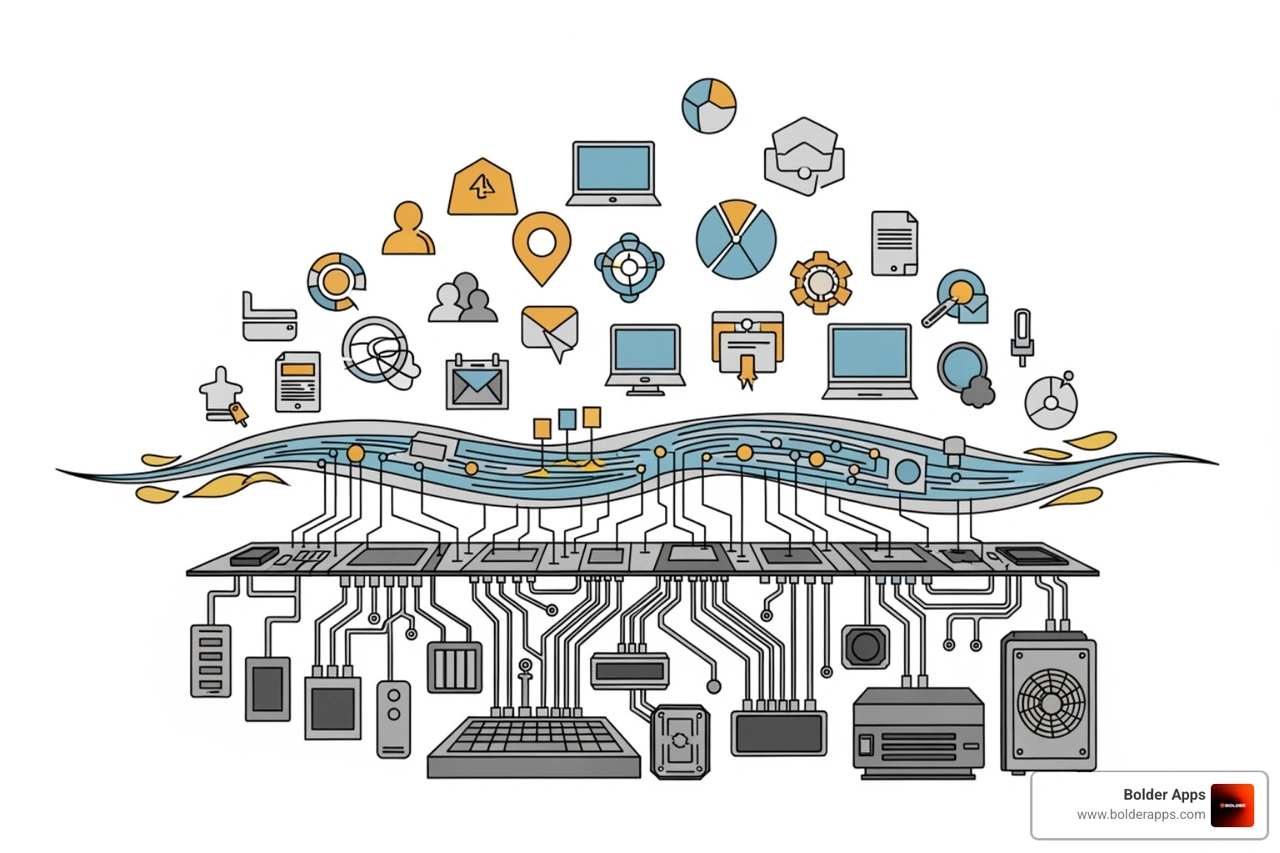
diagram showing System Software as a bridge between Hardware and Application Software - Types of Software

System Software: The Unsung Hero

System software is the bedrock of a computer. It's a collection of programs that manage and control the hardware, providing a stable platform for other software to run. It operates the computer's internal functions and acts as the interface between the hardware and user applications. Without it, a computer is useless.

Application Software: Your Digital Assistant

Application software, or "apps," are the programs we interact with daily to perform specific tasks. Whether you're writing a document, browsing the web, or editing photos, you're using application software designed to solve a particular problem or meet a specific need.

Key Differences: Purpose, Interaction, and Dependency

  • Purpose: System software manages computer resources; application software performs user-specific tasks.
  • User Interaction: Users rarely interact directly with system software but constantly interact with application software.
  • Dependency: Application software needs system software to run. System software can run without any applications.

Understanding this distinction is crucial for building custom solutions that integrate seamlessly with existing systems. More info about our Custom Software Development services.

A Deep Dive into the 7 Key Types of Software

Now that we've established the core categories, let's explore the seven most important Types of Software in detail. Each plays a unique and vital role in making our digital lives, and businesses, run smoothly.

1. System Software (The Conductor)

System software orchestrates all computer hardware operations, providing a stable environment for applications. The most important example is the Operating System (OS).

The OS acts as the computer's central nervous system, handling process management (allocating CPU time), memory management, and file management (storing and retrieving data).

Modern Operating Systems like Windows, macOS, Linux, iOS, and Android feature a Graphical User Interface (GUI), allowing users to interact visually with icons and windows. The OS also provides a hardware abstraction layer, so developers can write code for the OS without worrying about the specifics of every hardware component.

2. Application Software (The Workhorse)

Application software includes programs designed for specific user-centric tasks. It can be divided into two main categories:

  • General-Purpose Software: Widely used tools for a broad range of tasks. This includes word processors (Microsoft Word), spreadsheets (Microsoft Excel), web browsers (Google Chrome), and communication software (Slack).
  • Customized Software: When off-the-shelf solutions don't fit, businesses need software built for their unique processes. This includes specialized inventory management systems or custom CRM tools.

Enterprise software is a massive market, with revenues over $517 billion in 2030, highlighting the demand for tools that streamline operations.

At Bolder Apps, we specialize in creating these custom solutions to address unique business challenges. Enterprise App Development Solutions.

Common application software examples include:

  • Productivity: Microsoft Office Suite, Google Workspace, Asana
  • Communication: Slack, Microsoft Teams, Zoom
  • Multimedia: Adobe Creative Suite, Spotify, Netflix
  • Web Browsers: Google Chrome, Mozilla Firefox, Safari

3. Programming Software (The Creator's Toolkit)

Programming software, or development tools, helps developers create, test, and maintain other software. These tools translate human-readable programming languages (like Python or Java) into machine code.

Key components include:

  • Code Editors: Text editors for writing source code (e.g., Visual Studio Code).
  • Compilers and Interpreters: Tools that translate source code into executable machine code.
  • Debuggers: Help programmers find and fix errors (bugs) in their code.
  • Integrated Development Environments (IDEs): Comprehensive suites that combine editors, compilers, debuggers, and other tools into one interface (e.g., Visual Studio, Xcode).

Modern development also relies on DevOps tools for automation, including CI/CD pipelines (Jenkins), containerization (Docker, Kubernetes), and configuration management (Ansible). These tools automate the software delivery lifecycle, ensuring faster and more reliable releases. Understanding this architecture is key to building scalable solutions. More info about our Software Architecture Design services.

4. Driver Software (The Translator)

Every piece of hardware connected to your computer, from a mouse to a graphics card, needs driver software to communicate with the operating system (OS).
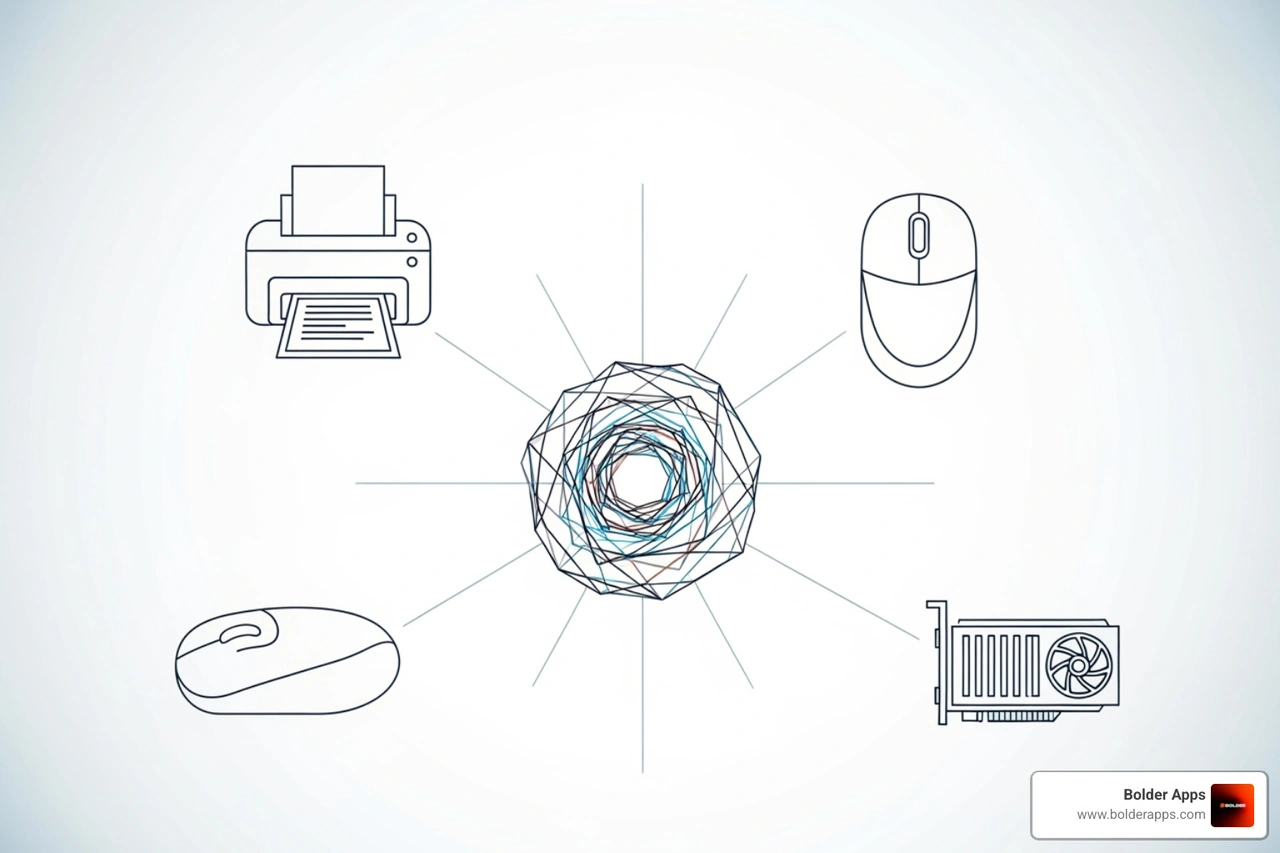
icons for a printer, mouse, and graphics card connecting to an OS icon - Types of Software

A driver is a program that translates the OS's generic commands into specific instructions a hardware device can understand. Without the correct driver, your OS wouldn't know how to use your printer, monitor, or keyboard. When you connect a new device, you often install a driver to teach the OS how to communicate with it.

Essential drivers include those for:

  • Graphics cards: For displaying high-resolution images and running games.
  • Printers: To manage print jobs, paper size, and quality.
  • Peripherals: For your mouse, keyboard, webcam, and Wi-Fi adapter to function correctly.

These small programs ensure your hardware and software speak the same language.

5. Utility Software (The Maintenance Crew)

Utility software works behind the scenes to keep your computer healthy, optimized, and secure. These tools perform maintenance tasks and are often bundled with the OS or installed as standalone apps.

Common utility software includes:

  • Antivirus and Anti-malware Software: Protects your computer from viruses, ransomware, and other threats.
  • Disk Cleanup Tools: Frees up hard disk space by deleting unnecessary temporary files and cached data.
  • Backup Software: Creates copies of your important files to prevent data loss.
  • File Compression Software: Compresses large files into smaller archives to save space (e.g., WinZip).
  • Firewall Software: Monitors network traffic to prevent unauthorized access to your computer.
  • Disk Defragmentation Software: Optimizes file storage on traditional hard drives to improve performance.

These essential tools keep our digital environments clean, safe, and running efficiently.

6. Embedded Software (The Hidden Intelligence)

Embedded software controls specific functions of non-computer devices, bringing "smart" capabilities to everyday objects. It's built directly into hardware, often stored in ROM or flash memory, and is designed for efficiency and reliability with limited resources.

A common type is Firmware, like the BIOS on a computer's motherboard that starts the system up. Another is Real-Time Operating Systems (RTOS), used in time-critical systems like a car's braking system, where an immediate response is crucial.

Applications of embedded software are everywhere:

  • IoT (Internet of Things) devices: Smart thermostats, security cameras, and wearables.
  • Automotive systems: Engine management, anti-lock brakes, and infotainment systems.
  • Medical devices: Pacemakers, MRI machines, and diagnostic equipment.
  • Smart home appliances: Microwaves, washing machines, and refrigerators.

This hidden intelligence enables a vast array of specialized devices to function safely and effectively.

7. Cloud-Based Software (The Everywhere Access)

Instead of being installed locally, cloud-based software runs on remote servers and is accessed over the internet. This model offers immense scalability and accessibility, allowing users to access apps and data from any device with an internet connection.

The three main cloud computing models are:

  • Software as a Service (SaaS): The most common model, where users subscribe to an application hosted by a provider (e.g., Salesforce, Dropbox, Google Workspace).
  • Platform as a Service (PaaS): Provides a platform for developers to build and run applications without managing the underlying infrastructure (e.g., Google App Engine).
  • Infrastructure as a Service (IaaS): Offers virtualized computing resources like servers and storage over the internet (e.g., Amazon Web Services, Microsoft Azure).

Cloud software offers flexibility and cost-effectiveness, but it's important to consider performance and cost for specialized needs. For example, some AI applications may perform better with edge computing instead of a cloud subscription. Why Your Cloud AI Subscription Is a Waste of Money: The Edge AI Shift.

Understanding the different Types of Software is just the beginning. The real challenge, and opportunity, lies in strategically choosing and deploying the right software for your specific needs. This involves careful consideration of various factors, from project goals to licensing models and future trends.

Choosing the Right Types of Software for Your Project

Selecting the right software, whether off-the-shelf or custom, requires a strategic approach.

Key considerations include:

  • Project Goals: Clearly define what the software must achieve (e.g., innovation, efficiency, scale).
  • Compatibility: Ensure the new software integrates smoothly with your existing systems, hardware, and databases.
  • User Needs: Design for your target audience, focusing on an intuitive user experience and accessibility.
  • Security Requirements: Implement robust data protection and privacy measures, especially for regulated industries like healthcare (HIPAA).
  • Budget: Establish a realistic budget for development, maintenance, and future upgrades. For a detailed breakdown, see How Much Does It Cost to Make an App in 2026?.
  • Scalability: Choose a flexible architecture that can handle future growth in users and features.
  • Total Cost of Ownership (TCO): Analyze ongoing expenses like subscriptions, maintenance, and support, not just the initial cost.

For unique challenges, custom-built software often provides the best long-term value and competitive advantage despite a higher initial cost.

Understanding Software Distribution & Licensing

Software distribution and licensing models have significant legal and financial implications.

Primary models include:

  • Freeware: Free to use, but the source code is restricted, and the developer retains copyright (e.g., Skype).
  • Shareware: A "try before you buy" model with a free trial period or limited features.
  • Proprietary Software: Owned by a company, requiring a license to use. The source code is secret, and modification is prohibited (e.g., Microsoft Windows).
  • Open-Source Software: The source code is publicly available for anyone to use, modify, and distribute, encouraging collaboration (e.g., Linux). See the GNU Project's Categories of Free and Nonfree Software.

Legal aspects like Intellectual Property (IP) are also critical. Software is protected by copyright, and sometimes patents, which grant creators exclusive rights. Understanding this is essential when developing new apps. How to Patent an App Idea in 2026.

The software world is constantly evolving, driven by hardware advancements and demand for smarter digital experiences. Key trends include:

  • Artificial Intelligence (AI) and Machine Learning (ML): AI is now deeply embedded in software, powering everything from predictive analytics to AI-powered enterprise architecture that can self-optimize.
  • Generative UI and Vibe Coding: Interactions are becoming more intuitive. "Vibe Coding" uses natural language and generative UI for dynamic, personalized user experiences, as explored in The Dawn of Vibe Coding.
  • Edge AI: For real-time processing, Edge AI brings AI capabilities directly to devices, reducing latency and cloud dependency.
  • Explosion of Data: With global data volume projected to exceed 394 zettabytes by 2028, software must efficiently process massive datasets.
  • Next-Generation Interfaces: Future applications will need to support diverse interfaces like voice, wearables, AR, and VR, creating more immersive experiences.

These trends point toward more intelligent, adaptive software, requiring businesses to innovate continuously to stay competitive.

Frequently Asked Questions about Software

Here are answers to some common questions about the Types of Software.

What is the main difference between system and application software?

The main difference is their function. System software runs the computer itself by managing hardware and providing a platform (like an OS). It works in the background. Application software runs on top of system software to perform specific tasks for the end-user, like a web browser or word processor.

What is the role of DevOps in modern software development?

DevOps bridges the gap between development (Dev) and operations (Ops) teams. Using automation software for CI/CD, containerization (Docker), and orchestration (Kubernetes), DevOps streamlines the entire software delivery lifecycle. This results in faster, more reliable releases and ensures that software can be delivered and maintained efficiently.

Why are software quality and security so important?

Software quality and security are paramount for user trust and business success.

  • Quality: Poor quality software leads to bugs, crashes, and a frustrating user experience, which can damage a brand and lead to financial loss. Building quality in from the start through rigorous testing is crucial.
  • Security: Software vulnerabilities can be exploited by cyberattacks, leading to data breaches, financial theft, and reputational damage. A "security-first" approach is essential to protect sensitive data and maintain user confidence, especially with threats like zero-day vulnerabilities. More on security vulnerabilities.

Both are fundamental business imperatives for any successful software product.

From Software Type to Market Leader

Understanding the different Types of Software is the first step in any successful digital project. But turning that knowledge into a high-impact, market-leading application requires a strategic partner. Bolder Apps combines US-based tech leadership with a senior distributed engineering team to build your vision without junior developers learning on your dime. Our fixed-budget, milestone-based payment model ensures your project is delivered on time and on budget, changing your idea into a powerful, intuitive product. Ready to build something bold? Explore our services and let's create the future, together.


Let's discuss your goals

Enter your details to register.
Give your product a short and clear description.
Thank you! Your submission has been received!
Oops! Something went wrong while submitting the form.
ASC client logo

They moved the project very smoothly.

Len Swegart
Senior Corporate Relations Manager, American Cancer Society
Rydoo client logo

They truly understood our vision and translated it into a polished product with a seamless UX.

Anna Haberfellner
Senior SDR, Rydoo
Qonto client logo

Attentiveness to detail and excellent design skills are impressive.

Steve Anavi
Senior Manager, Qonto