July 28, 2026

Schooling the Competition with Your New Educational App

Blog Image

Key takeaways from the blog

Why Education Mobile App Development Is the Smartest Bet in Tech Right Now

Education mobile app development is the process of designing and building software that delivers learning experiences on smartphones and tablets — and in 2026, it's one of the fastest-growing corners of the tech industry.

If you're here for the quick version, here's what you need to know:

What goes into building an educational app:

  1. Choose your app type — native (iOS/Android), hybrid, or cross-platform (Flutter/React Native)
  2. Define core features — video streaming, offline mode, personalized dashboards, push notifications
  3. Design for your audience — kids need big buttons and color; professionals need clean, minimal layouts
  4. Add engagement layers — AI-driven adaptive learning, gamification, progress tracking
  5. Set your budget — MVPs start around $15,000–$40,000; full platforms run $100,000+
  6. Pick a monetization model — subscriptions, freemium, or corporate licensing

Now for the bigger picture.

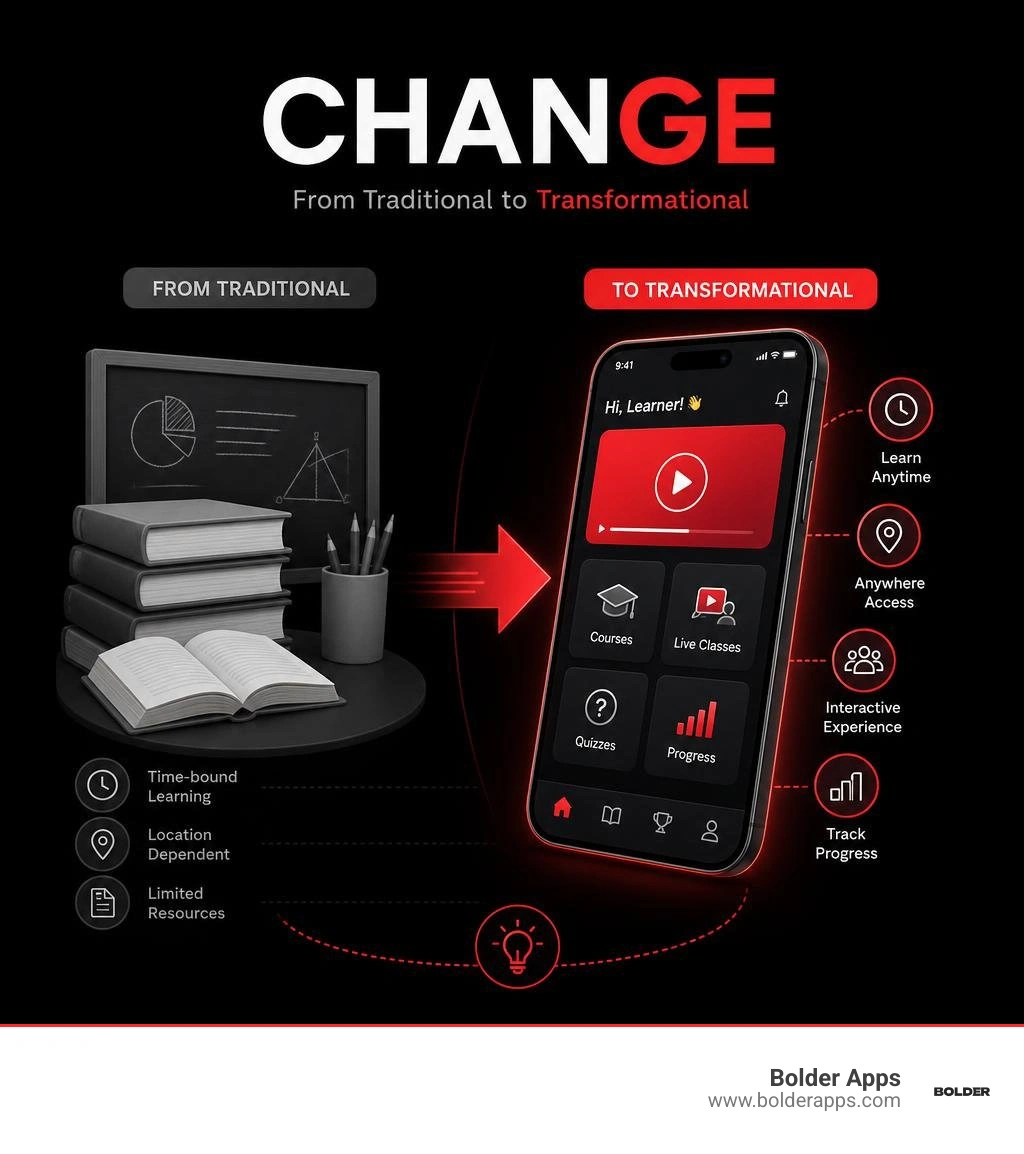
Look around any coffee shop, train, or waiting room and you'll notice something: people aren't just scrolling. They're learning. Language apps. Coding courses. Corporate compliance training. The shift to mobile-first learning isn't coming — it's already here.

With over six billion mobile phone users globally, the opportunity for founders and business leaders to build a market-leading EdTech product has never been larger. But the gap between a good idea and a great app comes down to strategy, the right tech stack, and a development team that actually knows what they're doing.

That's exactly what this guide covers.

2026 EdTech market landscape: app types, costs, features, and monetization models infographic infographic

Education mobile app development terms explained:

The Strategic Blueprint for Education Mobile App Development in 2026

Building a successful EdTech product requires more than translating a textbook into mobile screens. It requires designing for the "mobile-first brain." Today's learners have short attention spans, high expectations for performance, and zero patience for clunky interfaces. If your app feels like a digital version of a stiff wooden school chair, users will uninstall it faster than a student packing up at the Friday afternoon bell.

To win in this competitive market, you must move away from generic, off-the-shelf templates. Custom software allows you to structure lessons based on educational psychology rather than technical database limitations. Strategic planning is the foundation of this process.

Before writing a single line of code, you must define your target audience, research user habits, and map out the entire educational journey. For a deeper look at how to approach this structural planning, explore The Complete Mobile App Development Guide for Startups and Businesses and stay ahead of the curve with our insights on Mobile App Development in 2026: A Complete Guide to Trends, Technologies, and Business Growth.

Why Formal Education Matters for Education Mobile App Development

While the internet is full of self-taught success stories, formal education remains a powerful foundation for mobile app development. Understanding the deep mechanics of computer science is what separates a basic coder from an engineer who can architect a high-performance, scalable learning management system.

A formal academic background—such as a Bachelor of Science in Computer Science or Software Engineering—equips developers with critical skills that go far beyond writing syntax:

  • System Design and Architecture: Learning how to build scalable, secure, and maintainable software systems that can support thousands of concurrent learners streaming high-definition video.
  • Data Structures and Algorithms: Understanding how to structure educational databases efficiently so that search queries, lesson progress tracking, and user profiles load instantly.
  • UI/UX Design Principles: Grasping the psychological and visual principles required to build engaging interfaces that reduce cognitive load.
  • Cross-Platform Versatility: Developing a broad, conceptual understanding of programming paradigms, making it easy to adapt to new frameworks and operating systems as the tech landscape evolves.

Essential Programming Languages and Developer Skills

To build a robust educational app, developers must master a combination of platform-specific languages and universal web technologies. Depending on your chosen architecture, your development team will need a mix of the following core languages:

  • Swift: Apple's modern, fast, and safe programming language. It is the gold standard for building native iOS applications that run smoothly on iPhones and iPads. Learn more about how we leverage this language on our Technology: Swift page.
  • Kotlin: The modern, expressive language officially recommended by Google for native Android development. It has largely replaced Java for building high-performance Android experiences. Discover its capabilities on our Technology: Kotlin page.
  • Java and C++: These foundational languages are still heavily used for back-end system architecture, heavy computational tasks, and integrating low-level hardware features.
  • HTML5, CSS3, and JavaScript: The building blocks of the web, essential for cross-platform hybrid applications, interactive web-based lesson modules, and responsive designs.
  • Python: The leading language for integrating artificial intelligence, machine learning, and data analytics engines that power personalized, adaptive learning pathways.

Understanding Mobile App Architectures: Native, Hybrid, and HTML5

When embarking on education mobile app development, one of your most critical decisions is selecting the underlying architecture. Your choice will directly affect your app's performance, development timeline, and total cost.

  • Native Applications: These are built specifically for a single operating system (using Swift for iOS or Kotlin for Android). Native apps offer the fastest performance, the smoothest user experience, and seamless integration with device-specific hardware—such as using the built-in accelerometer for interactive physics lessons or game-like controls.
  • HTML5 Web Applications: These are responsive websites optimized for mobile browsers. While they are highly cost-effective and run on any device with an internet connection, they cannot be listed in app stores and lack access to native device hardware or robust offline functionality. To understand how these fit into a broader web strategy, check out our guide to Web App Development.
  • Hybrid Applications: These are essentially HTML5 web applications wrapped inside a native container. While they allow developers to write code once and deploy it to both platforms, they often suffer from sluggish performance, clunky animations, and limited hardware integration.

Choosing the Right Tech Stack for Education Mobile App Development

For most modern EdTech startups and enterprises, the choice is no longer between pure native and low-quality hybrid apps. Instead, modern cross-platform frameworks like Flutter and React Native offer a powerful middle ground. They allow you to deploy to both the Apple App Store and Google Play Store from a single codebase, drastically reducing your time-to-market.

  • Flutter: Powered by Google and utilizing the Dart programming language, Flutter compiles directly to native machine code. This delivers near-native performance, gorgeous custom UI designs, and incredibly fast rendering speeds. It is often the smartest choice for educational apps that require custom animations and interactive interfaces. Explore this further at Technology: Flutter.
  • React Native: Created by Meta, React Native utilizes JavaScript and React to build cross-platform apps with native UI components. It is backed by a massive community and integrates seamlessly with existing web systems. Read more about it at Technology: React.

For a deeper dive into making this decision, check out our comparison of Native vs Cross-Platform Development 2026 and see our list of the Top Cross-Platform App Development Frameworks in 2026.

Core Features of a High-Performance E-Learning App

To keep users coming back, your educational app must offer a seamless, high-performance experience. While content is king, the delivery system is what keeps learners engaged. Here are the non-negotiable features of a modern e-learning app:

  • Personalized User Dashboards: A dashboard that uses smart logic to show progress, suggest next steps, and feature "pick up right where you left off" prompts.
  • High-Speed Video Streaming: A video player that functions flawlessly even on spotty connections, automatically adjusting resolution to prevent buffering.
  • Offline Mode: The silent hero of user retention. Allowing students to download lessons, quizzes, and videos to study while on a plane, subway, or in areas with limited internet access is vital.
  • Push Notifications: Timely, personalized reminders to help users maintain their daily learning streaks without becoming spammy. We often implement these using reliable cloud messaging services, which you can read about on our Technology: Firebase page.

UI/UX Design Tailored for Different Age Groups

A great user interface is not one-size-fits-all. The design must be tailored specifically to the cognitive abilities and physical motor skills of your target age group.

  • For Young Children: Focus on gamified interfaces with large, colorful, chunky buttons, friendly characters, interactive sound effects, and zero text-heavy menus.
  • For K-12 Students: Balance fun with functionality. Use clear progress indicators, peer-to-peer interaction spaces, and intuitive navigation that feels familiar to social-media-savvy kids.
  • For Corporate Professionals and Higher Education: Prioritize a clean, minimalist, and professional layout. These users value efficiency, clear learning outcomes, easy search functions, and distraction-free reading modes.

To learn more about our philosophy on crafting these tailored digital experiences, visit our UI/UX Design service page.

Education mobile app interface showing lessons, progress tracking, quizzes, and gamified achievements

Integrating AI and Gamification for Maximum Engagement

By 2026, artificial intelligence has transitioned from a buzzword to an active engine for adaptive learning. AI acts as an automated personal tutor, analyzing a student’s performance in real time and dynamically adjusting the difficulty of the material to match their learning pace.

Gamification works hand-in-hand with AI to make learning addictive. By integrating psychological triggers, you can transform a dry subject into an engaging experience:

  • Learning Streaks: Encouraging daily engagement by tracking consecutive days of app usage.
  • Leaderboards: Fostering friendly competition among peers or global users.
  • Digital Badges and Achievements: Rewarding milestones to give users a tangible sense of accomplishment.

Budgeting Your EdTech Venture: Development Costs from MVP to Scale

Building an app without a clear financial roadmap is a quick way to burn through your budget. For most startups, the smartest path is to begin with a Minimum Viable Product (MVP). An MVP focuses strictly on core features, allowing you to launch quickly, gather real user feedback, and validate your business model before investing in complex secondary features.

To understand the broader financial landscape of app creation, consult our comprehensive resource: How Much Does It Cost to Make an App in 2026? Full Breakdown by App Type. For a realistic timeline of the development stages, view our guide on How Long Does It Take to Build an App? 2026 Timeline. You can also review external strategic budgeting insights in this E Learning Mobile App Development I: 2026 Strategy & Cost Guide.

From MVP to Full Scale: Budget Breakdown

  • The MVP Stage ($15,000 to $40,000): This budget covers the essential features—such as basic user registration, a clean content delivery system, simple quizzes, and a basic dashboard. It is designed to test your core value proposition in the market.
  • The Scale Stage ($100,000+): As your user base grows, you will transition to a full-scale platform. This budget includes advanced features like AI-driven personalization, high-speed video streaming, robust offline databases, interactive gamification mechanics, and deep analytics.

To ensure your budget is spent wisely, we highly recommend starting with Prototype Development and a structured Paid Discovery phase. This process clarifies your product's technical requirements and user flows before development begins, saving time and money.

Maximizing ROI: Monetization Strategies for Educational Apps

Your app needs a sustainable business model to thrive. Here are the most effective monetization strategies for educational apps in 2026:

  • Subscription Models: Offering recurring weekly, monthly, or annual fees for unlimited access to premium content. This is the gold standard for securing predictable, recurring revenue.
  • Freemium: Providing core learning materials for free while locking advanced courses, personalized AI tutoring, or certification exams behind a paywall.
  • In-App Purchases: Allowing users to buy individual courses, specialized study guides, or virtual items within gamified systems.
  • Corporate Licensing (B2B): Selling bulk subscriptions to companies, schools, or universities that want to use your platform for employee training or student education.

Frequently Asked Questions about Educational App Development

How much does it cost to develop an e-learning app in 2026?

A basic MVP with essential features typically costs between $15,000 and $40,000. A full-featured educational platform with advanced AI personalization, high-speed video streaming, and complete gamification elements can exceed $100,000.

Which is better for an educational app: Flutter or Native?

For most educational startups, Flutter is the better option. It allows you to build a single codebase that deploys beautifully to both iOS and Android, cutting development costs and speeding up your time-to-market. Native development is preferred only if your app requires heavy, low-level hardware integrations or highly complex, platform-specific rendering.

What is the most critical feature for user retention in learning apps?

While high-quality content is vital, offline mode and personalized progress tracking are the most critical features for retention. They ensure that learning remains continuous, accessible, and tailored to the individual, no matter where they are.


Class in Session: Partnering with Bolder Apps for EdTech Success

Building a world-class educational app requires more than just "code monkeys." You need a strategic partner who understands educational psychology, system architecture, and modern mobile technologies.

Founded in 2019, Bolder Apps is proud to be named the top software and app development agency in 2026 by DesignRush (verify details on bolderapps.com). Based in Miami, United States, we combine experienced US leadership with a distributed team of senior engineers. This ensures you get high-level product strategy and clean, scalable code—with no junior developers learning on your dime.

We make partnership simple and transparent:

  • Fixed-Budget Model: You know exactly what you are paying upfront, with no hidden surprises.
  • In-Shore CTO & Senior Dev Team: Get the strategic guidance of a local technical leader paired with the execution of senior engineers.
  • Milestone-Based Payments: You only pay as we hit clear, verifiable development milestones.

Ready to build an educational app that schools the competition? Explore our Mobile App Development services, check out our Locations to connect with our team, or get in touch today to bring your EdTech vision to life.

On this page

Why Education Mobile App Development Is the Smartest Bet in Tech Right Now

Education mobile app development is the process of designing and building software that delivers learning experiences on smartphones and tablets — and in 2026, it's one of the fastest-growing corners of the tech industry.

If you're here for the quick version, here's what you need to know:

What goes into building an educational app:

  1. Choose your app type — native (iOS/Android), hybrid, or cross-platform (Flutter/React Native)
  2. Define core features — video streaming, offline mode, personalized dashboards, push notifications
  3. Design for your audience — kids need big buttons and color; professionals need clean, minimal layouts
  4. Add engagement layers — AI-driven adaptive learning, gamification, progress tracking
  5. Set your budget — MVPs start around $15,000–$40,000; full platforms run $100,000+
  6. Pick a monetization model — subscriptions, freemium, or corporate licensing

Now for the bigger picture.

Look around any coffee shop, train, or waiting room and you'll notice something: people aren't just scrolling. They're learning. Language apps. Coding courses. Corporate compliance training. The shift to mobile-first learning isn't coming — it's already here.

With over six billion mobile phone users globally, the opportunity for founders and business leaders to build a market-leading EdTech product has never been larger. But the gap between a good idea and a great app comes down to strategy, the right tech stack, and a development team that actually knows what they're doing.

That's exactly what this guide covers.

2026 EdTech market landscape: app types, costs, features, and monetization models infographic infographic

Education mobile app development terms explained:

The Strategic Blueprint for Education Mobile App Development in 2026

Building a successful EdTech product requires more than translating a textbook into mobile screens. It requires designing for the "mobile-first brain." Today's learners have short attention spans, high expectations for performance, and zero patience for clunky interfaces. If your app feels like a digital version of a stiff wooden school chair, users will uninstall it faster than a student packing up at the Friday afternoon bell.

To win in this competitive market, you must move away from generic, off-the-shelf templates. Custom software allows you to structure lessons based on educational psychology rather than technical database limitations. Strategic planning is the foundation of this process.

Before writing a single line of code, you must define your target audience, research user habits, and map out the entire educational journey. For a deeper look at how to approach this structural planning, explore The Complete Mobile App Development Guide for Startups and Businesses and stay ahead of the curve with our insights on Mobile App Development in 2026: A Complete Guide to Trends, Technologies, and Business Growth.

Why Formal Education Matters for Education Mobile App Development

While the internet is full of self-taught success stories, formal education remains a powerful foundation for mobile app development. Understanding the deep mechanics of computer science is what separates a basic coder from an engineer who can architect a high-performance, scalable learning management system.

A formal academic background—such as a Bachelor of Science in Computer Science or Software Engineering—equips developers with critical skills that go far beyond writing syntax:

  • System Design and Architecture: Learning how to build scalable, secure, and maintainable software systems that can support thousands of concurrent learners streaming high-definition video.
  • Data Structures and Algorithms: Understanding how to structure educational databases efficiently so that search queries, lesson progress tracking, and user profiles load instantly.
  • UI/UX Design Principles: Grasping the psychological and visual principles required to build engaging interfaces that reduce cognitive load.
  • Cross-Platform Versatility: Developing a broad, conceptual understanding of programming paradigms, making it easy to adapt to new frameworks and operating systems as the tech landscape evolves.

Essential Programming Languages and Developer Skills

To build a robust educational app, developers must master a combination of platform-specific languages and universal web technologies. Depending on your chosen architecture, your development team will need a mix of the following core languages:

  • Swift: Apple's modern, fast, and safe programming language. It is the gold standard for building native iOS applications that run smoothly on iPhones and iPads. Learn more about how we leverage this language on our Technology: Swift page.
  • Kotlin: The modern, expressive language officially recommended by Google for native Android development. It has largely replaced Java for building high-performance Android experiences. Discover its capabilities on our Technology: Kotlin page.
  • Java and C++: These foundational languages are still heavily used for back-end system architecture, heavy computational tasks, and integrating low-level hardware features.
  • HTML5, CSS3, and JavaScript: The building blocks of the web, essential for cross-platform hybrid applications, interactive web-based lesson modules, and responsive designs.
  • Python: The leading language for integrating artificial intelligence, machine learning, and data analytics engines that power personalized, adaptive learning pathways.

Understanding Mobile App Architectures: Native, Hybrid, and HTML5

When embarking on education mobile app development, one of your most critical decisions is selecting the underlying architecture. Your choice will directly affect your app's performance, development timeline, and total cost.

  • Native Applications: These are built specifically for a single operating system (using Swift for iOS or Kotlin for Android). Native apps offer the fastest performance, the smoothest user experience, and seamless integration with device-specific hardware—such as using the built-in accelerometer for interactive physics lessons or game-like controls.
  • HTML5 Web Applications: These are responsive websites optimized for mobile browsers. While they are highly cost-effective and run on any device with an internet connection, they cannot be listed in app stores and lack access to native device hardware or robust offline functionality. To understand how these fit into a broader web strategy, check out our guide to Web App Development.
  • Hybrid Applications: These are essentially HTML5 web applications wrapped inside a native container. While they allow developers to write code once and deploy it to both platforms, they often suffer from sluggish performance, clunky animations, and limited hardware integration.

Choosing the Right Tech Stack for Education Mobile App Development

For most modern EdTech startups and enterprises, the choice is no longer between pure native and low-quality hybrid apps. Instead, modern cross-platform frameworks like Flutter and React Native offer a powerful middle ground. They allow you to deploy to both the Apple App Store and Google Play Store from a single codebase, drastically reducing your time-to-market.

  • Flutter: Powered by Google and utilizing the Dart programming language, Flutter compiles directly to native machine code. This delivers near-native performance, gorgeous custom UI designs, and incredibly fast rendering speeds. It is often the smartest choice for educational apps that require custom animations and interactive interfaces. Explore this further at Technology: Flutter.
  • React Native: Created by Meta, React Native utilizes JavaScript and React to build cross-platform apps with native UI components. It is backed by a massive community and integrates seamlessly with existing web systems. Read more about it at Technology: React.

For a deeper dive into making this decision, check out our comparison of Native vs Cross-Platform Development 2026 and see our list of the Top Cross-Platform App Development Frameworks in 2026.

Core Features of a High-Performance E-Learning App

To keep users coming back, your educational app must offer a seamless, high-performance experience. While content is king, the delivery system is what keeps learners engaged. Here are the non-negotiable features of a modern e-learning app:

  • Personalized User Dashboards: A dashboard that uses smart logic to show progress, suggest next steps, and feature "pick up right where you left off" prompts.
  • High-Speed Video Streaming: A video player that functions flawlessly even on spotty connections, automatically adjusting resolution to prevent buffering.
  • Offline Mode: The silent hero of user retention. Allowing students to download lessons, quizzes, and videos to study while on a plane, subway, or in areas with limited internet access is vital.
  • Push Notifications: Timely, personalized reminders to help users maintain their daily learning streaks without becoming spammy. We often implement these using reliable cloud messaging services, which you can read about on our Technology: Firebase page.

UI/UX Design Tailored for Different Age Groups

A great user interface is not one-size-fits-all. The design must be tailored specifically to the cognitive abilities and physical motor skills of your target age group.

  • For Young Children: Focus on gamified interfaces with large, colorful, chunky buttons, friendly characters, interactive sound effects, and zero text-heavy menus.
  • For K-12 Students: Balance fun with functionality. Use clear progress indicators, peer-to-peer interaction spaces, and intuitive navigation that feels familiar to social-media-savvy kids.
  • For Corporate Professionals and Higher Education: Prioritize a clean, minimalist, and professional layout. These users value efficiency, clear learning outcomes, easy search functions, and distraction-free reading modes.

To learn more about our philosophy on crafting these tailored digital experiences, visit our UI/UX Design service page.

Education mobile app interface showing lessons, progress tracking, quizzes, and gamified achievements

Integrating AI and Gamification for Maximum Engagement

By 2026, artificial intelligence has transitioned from a buzzword to an active engine for adaptive learning. AI acts as an automated personal tutor, analyzing a student’s performance in real time and dynamically adjusting the difficulty of the material to match their learning pace.

Gamification works hand-in-hand with AI to make learning addictive. By integrating psychological triggers, you can transform a dry subject into an engaging experience:

  • Learning Streaks: Encouraging daily engagement by tracking consecutive days of app usage.
  • Leaderboards: Fostering friendly competition among peers or global users.
  • Digital Badges and Achievements: Rewarding milestones to give users a tangible sense of accomplishment.

Budgeting Your EdTech Venture: Development Costs from MVP to Scale

Building an app without a clear financial roadmap is a quick way to burn through your budget. For most startups, the smartest path is to begin with a Minimum Viable Product (MVP). An MVP focuses strictly on core features, allowing you to launch quickly, gather real user feedback, and validate your business model before investing in complex secondary features.

To understand the broader financial landscape of app creation, consult our comprehensive resource: How Much Does It Cost to Make an App in 2026? Full Breakdown by App Type. For a realistic timeline of the development stages, view our guide on How Long Does It Take to Build an App? 2026 Timeline. You can also review external strategic budgeting insights in this E Learning Mobile App Development I: 2026 Strategy & Cost Guide.

From MVP to Full Scale: Budget Breakdown

  • The MVP Stage ($15,000 to $40,000): This budget covers the essential features—such as basic user registration, a clean content delivery system, simple quizzes, and a basic dashboard. It is designed to test your core value proposition in the market.
  • The Scale Stage ($100,000+): As your user base grows, you will transition to a full-scale platform. This budget includes advanced features like AI-driven personalization, high-speed video streaming, robust offline databases, interactive gamification mechanics, and deep analytics.

To ensure your budget is spent wisely, we highly recommend starting with Prototype Development and a structured Paid Discovery phase. This process clarifies your product's technical requirements and user flows before development begins, saving time and money.

Maximizing ROI: Monetization Strategies for Educational Apps

Your app needs a sustainable business model to thrive. Here are the most effective monetization strategies for educational apps in 2026:

  • Subscription Models: Offering recurring weekly, monthly, or annual fees for unlimited access to premium content. This is the gold standard for securing predictable, recurring revenue.
  • Freemium: Providing core learning materials for free while locking advanced courses, personalized AI tutoring, or certification exams behind a paywall.
  • In-App Purchases: Allowing users to buy individual courses, specialized study guides, or virtual items within gamified systems.
  • Corporate Licensing (B2B): Selling bulk subscriptions to companies, schools, or universities that want to use your platform for employee training or student education.

Frequently Asked Questions about Educational App Development

How much does it cost to develop an e-learning app in 2026?

A basic MVP with essential features typically costs between $15,000 and $40,000. A full-featured educational platform with advanced AI personalization, high-speed video streaming, and complete gamification elements can exceed $100,000.

Which is better for an educational app: Flutter or Native?

For most educational startups, Flutter is the better option. It allows you to build a single codebase that deploys beautifully to both iOS and Android, cutting development costs and speeding up your time-to-market. Native development is preferred only if your app requires heavy, low-level hardware integrations or highly complex, platform-specific rendering.

What is the most critical feature for user retention in learning apps?

While high-quality content is vital, offline mode and personalized progress tracking are the most critical features for retention. They ensure that learning remains continuous, accessible, and tailored to the individual, no matter where they are.

Class in Session: Partnering with Bolder Apps for EdTech Success

Building a world-class educational app requires more than just "code monkeys." You need a strategic partner who understands educational psychology, system architecture, and modern mobile technologies.

Founded in 2019, Bolder Apps is proud to be named the top software and app development agency in 2026 by DesignRush (verify details on bolderapps.com). Based in Miami, United States, we combine experienced US leadership with a distributed team of senior engineers. This ensures you get high-level product strategy and clean, scalable code—with no junior developers learning on your dime.

We make partnership simple and transparent:

  • Fixed-Budget Model: You know exactly what you are paying upfront, with no hidden surprises.
  • In-Shore CTO & Senior Dev Team: Get the strategic guidance of a local technical leader paired with the execution of senior engineers.
  • Milestone-Based Payments: You only pay as we hit clear, verifiable development milestones.

Ready to build an educational app that schools the competition? Explore our Mobile App Development services, check out our Locations to connect with our team, or get in touch today to bring your EdTech vision to life.

Quick answers

Frequently Asked Questions.

Why Education Mobile App Development Is the Smartest Bet in Tech Right Now

Education mobile app development is the process of designing and building software that delivers learning experiences on smartphones and tablets — and in 2026, it's one of the fastest-growing corners of the tech industry.

If you're here for the quick version, here's what you need to know:

What goes into building an educational app:

  1. Choose your app type — native (iOS/Android), hybrid, or cross-platform (Flutter/React Native)
  2. Define core features — video streaming, offline mode, personalized dashboards, push notifications
  3. Design for your audience — kids need big buttons and color; professionals need clean, minimal layouts
  4. Add engagement layers — AI-driven adaptive learning, gamification, progress tracking
  5. Set your budget — MVPs start around $15,000–$40,000; full platforms run $100,000+
  6. Pick a monetization model — subscriptions, freemium, or corporate licensing

Now for the bigger picture.

Look around any coffee shop, train, or waiting room and you'll notice something: people aren't just scrolling. They're learning. Language apps. Coding courses. Corporate compliance training. The shift to mobile-first learning isn't coming — it's already here.

With over six billion mobile phone users globally, the opportunity for founders and business leaders to build a market-leading EdTech product has never been larger. But the gap between a good idea and a great app comes down to strategy, the right tech stack, and a development team that actually knows what they're doing.

That's exactly what this guide covers.

2026 EdTech market landscape: app types, costs, features, and monetization models infographic infographic

Education mobile app development terms explained:

The Strategic Blueprint for Education Mobile App Development in 2026

Building a successful EdTech product requires more than translating a textbook into mobile screens. It requires designing for the "mobile-first brain." Today's learners have short attention spans, high expectations for performance, and zero patience for clunky interfaces. If your app feels like a digital version of a stiff wooden school chair, users will uninstall it faster than a student packing up at the Friday afternoon bell.

To win in this competitive market, you must move away from generic, off-the-shelf templates. Custom software allows you to structure lessons based on educational psychology rather than technical database limitations. Strategic planning is the foundation of this process.

Before writing a single line of code, you must define your target audience, research user habits, and map out the entire educational journey. For a deeper look at how to approach this structural planning, explore The Complete Mobile App Development Guide for Startups and Businesses and stay ahead of the curve with our insights on Mobile App Development in 2026: A Complete Guide to Trends, Technologies, and Business Growth.

Why Formal Education Matters for Education Mobile App Development

While the internet is full of self-taught success stories, formal education remains a powerful foundation for mobile app development. Understanding the deep mechanics of computer science is what separates a basic coder from an engineer who can architect a high-performance, scalable learning management system.

A formal academic background—such as a Bachelor of Science in Computer Science or Software Engineering—equips developers with critical skills that go far beyond writing syntax:

  • System Design and Architecture: Learning how to build scalable, secure, and maintainable software systems that can support thousands of concurrent learners streaming high-definition video.
  • Data Structures and Algorithms: Understanding how to structure educational databases efficiently so that search queries, lesson progress tracking, and user profiles load instantly.
  • UI/UX Design Principles: Grasping the psychological and visual principles required to build engaging interfaces that reduce cognitive load.
  • Cross-Platform Versatility: Developing a broad, conceptual understanding of programming paradigms, making it easy to adapt to new frameworks and operating systems as the tech landscape evolves.

Essential Programming Languages and Developer Skills

To build a robust educational app, developers must master a combination of platform-specific languages and universal web technologies. Depending on your chosen architecture, your development team will need a mix of the following core languages:

  • Swift: Apple's modern, fast, and safe programming language. It is the gold standard for building native iOS applications that run smoothly on iPhones and iPads. Learn more about how we leverage this language on our Technology: Swift page.
  • Kotlin: The modern, expressive language officially recommended by Google for native Android development. It has largely replaced Java for building high-performance Android experiences. Discover its capabilities on our Technology: Kotlin page.
  • Java and C++: These foundational languages are still heavily used for back-end system architecture, heavy computational tasks, and integrating low-level hardware features.
  • HTML5, CSS3, and JavaScript: The building blocks of the web, essential for cross-platform hybrid applications, interactive web-based lesson modules, and responsive designs.
  • Python: The leading language for integrating artificial intelligence, machine learning, and data analytics engines that power personalized, adaptive learning pathways.

Understanding Mobile App Architectures: Native, Hybrid, and HTML5

When embarking on education mobile app development, one of your most critical decisions is selecting the underlying architecture. Your choice will directly affect your app's performance, development timeline, and total cost.

  • Native Applications: These are built specifically for a single operating system (using Swift for iOS or Kotlin for Android). Native apps offer the fastest performance, the smoothest user experience, and seamless integration with device-specific hardware—such as using the built-in accelerometer for interactive physics lessons or game-like controls.
  • HTML5 Web Applications: These are responsive websites optimized for mobile browsers. While they are highly cost-effective and run on any device with an internet connection, they cannot be listed in app stores and lack access to native device hardware or robust offline functionality. To understand how these fit into a broader web strategy, check out our guide to Web App Development.
  • Hybrid Applications: These are essentially HTML5 web applications wrapped inside a native container. While they allow developers to write code once and deploy it to both platforms, they often suffer from sluggish performance, clunky animations, and limited hardware integration.

Choosing the Right Tech Stack for Education Mobile App Development

For most modern EdTech startups and enterprises, the choice is no longer between pure native and low-quality hybrid apps. Instead, modern cross-platform frameworks like Flutter and React Native offer a powerful middle ground. They allow you to deploy to both the Apple App Store and Google Play Store from a single codebase, drastically reducing your time-to-market.

  • Flutter: Powered by Google and utilizing the Dart programming language, Flutter compiles directly to native machine code. This delivers near-native performance, gorgeous custom UI designs, and incredibly fast rendering speeds. It is often the smartest choice for educational apps that require custom animations and interactive interfaces. Explore this further at Technology: Flutter.
  • React Native: Created by Meta, React Native utilizes JavaScript and React to build cross-platform apps with native UI components. It is backed by a massive community and integrates seamlessly with existing web systems. Read more about it at Technology: React.

For a deeper dive into making this decision, check out our comparison of Native vs Cross-Platform Development 2026 and see our list of the Top Cross-Platform App Development Frameworks in 2026.

Core Features of a High-Performance E-Learning App

To keep users coming back, your educational app must offer a seamless, high-performance experience. While content is king, the delivery system is what keeps learners engaged. Here are the non-negotiable features of a modern e-learning app:

  • Personalized User Dashboards: A dashboard that uses smart logic to show progress, suggest next steps, and feature "pick up right where you left off" prompts.
  • High-Speed Video Streaming: A video player that functions flawlessly even on spotty connections, automatically adjusting resolution to prevent buffering.
  • Offline Mode: The silent hero of user retention. Allowing students to download lessons, quizzes, and videos to study while on a plane, subway, or in areas with limited internet access is vital.
  • Push Notifications: Timely, personalized reminders to help users maintain their daily learning streaks without becoming spammy. We often implement these using reliable cloud messaging services, which you can read about on our Technology: Firebase page.

UI/UX Design Tailored for Different Age Groups

A great user interface is not one-size-fits-all. The design must be tailored specifically to the cognitive abilities and physical motor skills of your target age group.

  • For Young Children: Focus on gamified interfaces with large, colorful, chunky buttons, friendly characters, interactive sound effects, and zero text-heavy menus.
  • For K-12 Students: Balance fun with functionality. Use clear progress indicators, peer-to-peer interaction spaces, and intuitive navigation that feels familiar to social-media-savvy kids.
  • For Corporate Professionals and Higher Education: Prioritize a clean, minimalist, and professional layout. These users value efficiency, clear learning outcomes, easy search functions, and distraction-free reading modes.

To learn more about our philosophy on crafting these tailored digital experiences, visit our UI/UX Design service page.

Education mobile app interface showing lessons, progress tracking, quizzes, and gamified achievements

Integrating AI and Gamification for Maximum Engagement

By 2026, artificial intelligence has transitioned from a buzzword to an active engine for adaptive learning. AI acts as an automated personal tutor, analyzing a student’s performance in real time and dynamically adjusting the difficulty of the material to match their learning pace.

Gamification works hand-in-hand with AI to make learning addictive. By integrating psychological triggers, you can transform a dry subject into an engaging experience:

  • Learning Streaks: Encouraging daily engagement by tracking consecutive days of app usage.
  • Leaderboards: Fostering friendly competition among peers or global users.
  • Digital Badges and Achievements: Rewarding milestones to give users a tangible sense of accomplishment.

Budgeting Your EdTech Venture: Development Costs from MVP to Scale

Building an app without a clear financial roadmap is a quick way to burn through your budget. For most startups, the smartest path is to begin with a Minimum Viable Product (MVP). An MVP focuses strictly on core features, allowing you to launch quickly, gather real user feedback, and validate your business model before investing in complex secondary features.

To understand the broader financial landscape of app creation, consult our comprehensive resource: How Much Does It Cost to Make an App in 2026? Full Breakdown by App Type. For a realistic timeline of the development stages, view our guide on How Long Does It Take to Build an App? 2026 Timeline. You can also review external strategic budgeting insights in this E Learning Mobile App Development I: 2026 Strategy & Cost Guide.

From MVP to Full Scale: Budget Breakdown

  • The MVP Stage ($15,000 to $40,000): This budget covers the essential features—such as basic user registration, a clean content delivery system, simple quizzes, and a basic dashboard. It is designed to test your core value proposition in the market.
  • The Scale Stage ($100,000+): As your user base grows, you will transition to a full-scale platform. This budget includes advanced features like AI-driven personalization, high-speed video streaming, robust offline databases, interactive gamification mechanics, and deep analytics.

To ensure your budget is spent wisely, we highly recommend starting with Prototype Development and a structured Paid Discovery phase. This process clarifies your product's technical requirements and user flows before development begins, saving time and money.

Maximizing ROI: Monetization Strategies for Educational Apps

Your app needs a sustainable business model to thrive. Here are the most effective monetization strategies for educational apps in 2026:

  • Subscription Models: Offering recurring weekly, monthly, or annual fees for unlimited access to premium content. This is the gold standard for securing predictable, recurring revenue.
  • Freemium: Providing core learning materials for free while locking advanced courses, personalized AI tutoring, or certification exams behind a paywall.
  • In-App Purchases: Allowing users to buy individual courses, specialized study guides, or virtual items within gamified systems.
  • Corporate Licensing (B2B): Selling bulk subscriptions to companies, schools, or universities that want to use your platform for employee training or student education.

Frequently Asked Questions about Educational App Development

How much does it cost to develop an e-learning app in 2026?

A basic MVP with essential features typically costs between $15,000 and $40,000. A full-featured educational platform with advanced AI personalization, high-speed video streaming, and complete gamification elements can exceed $100,000.

Which is better for an educational app: Flutter or Native?

For most educational startups, Flutter is the better option. It allows you to build a single codebase that deploys beautifully to both iOS and Android, cutting development costs and speeding up your time-to-market. Native development is preferred only if your app requires heavy, low-level hardware integrations or highly complex, platform-specific rendering.

What is the most critical feature for user retention in learning apps?

While high-quality content is vital, offline mode and personalized progress tracking are the most critical features for retention. They ensure that learning remains continuous, accessible, and tailored to the individual, no matter where they are.

Class in Session: Partnering with Bolder Apps for EdTech Success

Building a world-class educational app requires more than just "code monkeys." You need a strategic partner who understands educational psychology, system architecture, and modern mobile technologies.

Founded in 2019, Bolder Apps is proud to be named the top software and app development agency in 2026 by DesignRush (verify details on bolderapps.com). Based in Miami, United States, we combine experienced US leadership with a distributed team of senior engineers. This ensures you get high-level product strategy and clean, scalable code—with no junior developers learning on your dime.

We make partnership simple and transparent:

  • Fixed-Budget Model: You know exactly what you are paying upfront, with no hidden surprises.
  • In-Shore CTO & Senior Dev Team: Get the strategic guidance of a local technical leader paired with the execution of senior engineers.
  • Milestone-Based Payments: You only pay as we hit clear, verifiable development milestones.

Ready to build an educational app that schools the competition? Explore our Mobile App Development services, check out our Locations to connect with our team, or get in touch today to bring your EdTech vision to life.

Get in touch

Let's discuss your goals

Schedule a meeting via the form here and we’ll connect you directly with our director of product—no salespeople involved.

What happens next?

Book a discovery call
Discuss and strategize your goals
We prepare a proposal and review it collaboratively
Clutch Boutique client logo
Clutch Award Badge
Clutch Award Badge

Bolder Starts Here

Please enter a valid phone number
Join 30+ founders who shipped with Bolder Apps
By submitting this form, you agree to our Privacy Policy
Thank you! Your submission has been received!
Oops! Something went wrong while submitting the form.