
Sean Weldon
November 11, 2026
10
min. read
and updated on:
November 11, 2026


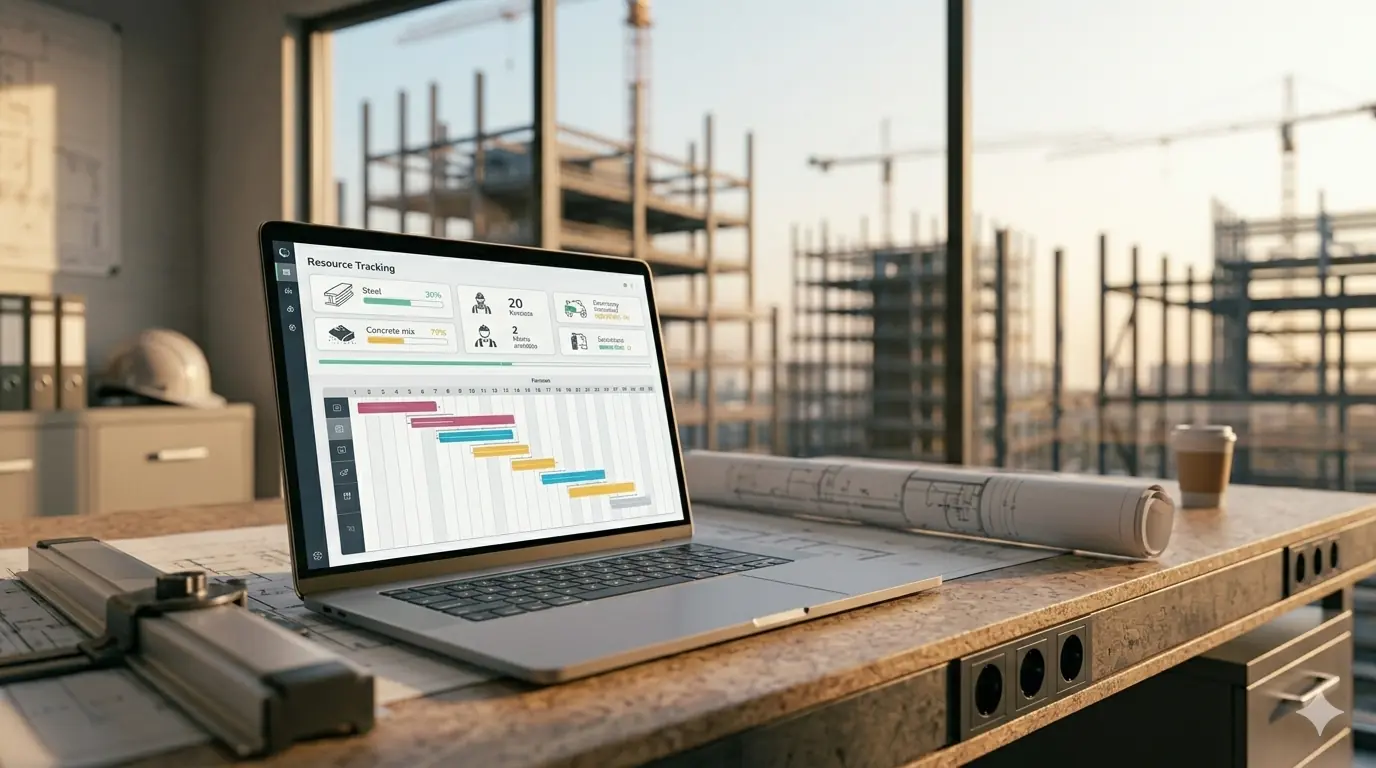
Start with the structure, not the screen. To apply UI/UX design architecture, map the tasks people need to complete, group related content, and sketch clear paths through the product. Then test those paths with users before refining the visual design. It is much like planning a building: people need to know where they are, where to go, and what to do next.
Physical architects bring useful skills in layout, wayfinding, and planning for growth. Digital products also demand skills in interaction design, accessibility, and rapid testing. This guide shows how those skills connect, how UX and UI architecture support each other, and how to turn a sound plan into an app that can grow.

Ui ux design architecture terms at a glance:
When we examine how people navigate an airport versus a multi-tiered SaaS platform, the underlying cognitive mechanics are virtually identical. Both environments rely on spatial cognition, visual cues, and structural predictability. In physical architecture, the Roman architect Vitruvius defined three core tenets of great building: firmitas (strength), utilitas (utility), and venustas (beauty). In the digital realm, these pillars translate directly into structural integrity, functional user experience, and aesthetic interface design.
Digital spaces, however, are made of software rather than steel and concrete. As explored in academic literature on Information Architecture and UX Design: The Integration of Information Spaces, information architecture is the structural backbone that organizes complex data environments, ensuring users find what they need without cognitive friction.
Understanding this cross-disciplinary link requires looking at affordance theory. In building design, a physical door handle offers an affordance that suggests "pull," while a flat metal plate signals "push." In UI design, button elevation, hover states, and color contrast provide digital affordances that signal interactivity. Mastering both the structural skeleton and the interactive layer is core to the art and science of digital product design, where spatial logic meets human psychology.
In smaller product teams, one person often handles both structural planning and visual styling. As digital products scale into enterprise ecosystems, separating the structural specialist (UX Architect) from the interaction and aesthetic specialist (UX Designer) prevents costly design debt.
When these roles collaborate using a proven user-centered design approach, the architect validates structural navigation through low-fidelity wireframes and card-sorting exercises before the designer commits time to detailed visual design and layout polish.
Physical architects spend years studying circulation paths—the routes people take through a lobby, corridor, or open plaza. In digital applications, these circulation paths become user journeys and conversion funnels. If an office building places restrooms behind three unmarked doors in an unlit basement, it has failed at wayfinding. Similarly, an e-commerce checkout flow hidden behind inconsistent menus fails digital wayfinding.
As industry veterans note when exploring how UX Design and Architecture are the Same Damn Thing, the mindset of organizing spaces to serve human intent is identical across mediums. Physical structures use modular post-and-beam grids to support expansion; digital interfaces use responsive grid layouts and auto-layout containers to maintain structural integrity across mobile screens, tablets, and wide monitors. Applying these structural principles creates truly intuitive design, where the interface recedes and users accomplish tasks effortlessly.

A brilliant UX blueprint will collapse if the underlying front-end code cannot support it. According to research from Stripe, the average software developer spends more than 17 hours per week dealing with maintenance, with roughly 4 hours lost directly to bad code and structural debt. McKinsey reports that enterprise organizations often carry technical debt equal to 20% to 40% of the entire value of their technology estate.
When front-end teams fail to establish clear module boundaries, components cross-import logic unpredictably, leading to "spaghetti UI." This is why modern web application UX design demands disciplined architectural paradigms that isolate concerns and preserve design intent.
Several UI architectural patterns help teams organize front-end code bases to match design blueprints:
Pairing these organizational methodologies with established User Interface (UI) Design Patterns ensures that your engineering team builds clean, maintainable front-end UX design foundations that easily survive multi-year product evolutions.
A key tenet of resilient digital architecture is making sure user interface state remains predictable. As outlined in the official UI layer | App architecture | Android Developers documentation, modern user interfaces thrive on Unidirectional Data Flow (UDF). In this model, state holders produce immutable state snapshots, the UI observes and renders those snapshots, and user actions travel back up as events to update the underlying state.
To bridge the gap between design tools like Figma and live codebases, teams rely on design tokens. As explored in Chapter 7: Design Systems – User-Centered Design Workbook, design tokens encode visual attributes (colors, typography, spacing units, elevation) into platform-agnostic key-value pairs.
Tokens are grouped hierarchically:
color-red-500: #FD0200 or space-16: 16px.color-action-primary: color-red-500 or surface-background-card: color-neutral-100.button-primary-bg: color-action-primary.When structured this way, re-theming an entire ecosystem across iOS, Android, and Web takes minutes rather than months, keeping complex enterprise software UX design consistent and compliant with Gestalt visual hierarchy.

How do you know when your digital building is starting to develop structural cracks? Just as physical buildings settle and crack when foundations shift, digital interfaces degrade when features are added without adhering to strict architectural rules.
When architecture breaks down, product delivery grinds to a halt. Look out for these diagnostic red flags:
When these symptoms appear, teams must pause feature churn and utilize structured wireframing and prototyping services to audit their component trees, re-establish public APIs, and enforce clean module boundaries.
Not every organization requires a full-time UX Architect on day one. Early-stage product validation benefits from agile generalist designers who can move quickly from whiteboard concepts to final visual design. However, an inflection point occurs when:
Using our UI/UX strategy guide 2026 helps organizations identify these operational bottlenecks early and determine the right moment to introduce dedicated architectural leadership.
Architects moving from the built environment to digital technology bring exceptional spatial reasoning, an appreciation for human-scale design, and experience managing complex stakeholder trade-offs. As analyzed in The intersection between Architecture and (so-called) ..., both disciplines follow an identical sequence: discovery, functional zoning, technical drafting, and final construction.
For physical architects planning to transition into digital product architecture within a 12 to 18-month timeframe, this practical path delivers results:
Connecting these skills with solid product design and strategy creates digital leaders who design software that is both visually polished and structurally sound.
As we look toward 2027, the line between physical architecture and user interface architecture continues to blur. With the rapid evolution of spatial operating systems, AR headsets, and immersive interfaces, traditional 2D screen design is expanding into three-dimensional digital environments.
Architects who understand depth, natural light reflection, physical ergonomics, and spatial volume possess an unmatched advantage when designing for spatial continuity: how to port mobile apps to visionOS and Meta Quest 4 in 2026. In these mixed-reality environments, your UI architecture must adapt seamlessly to physical room boundaries, hand tracking, and gaze-driven navigation.
The most significant differences lie in iteration speed, material permanence, and user feedback loops. Physical architecture is a long, highly regulated process where concrete and steel cannot easily be altered once poured. Digital UI/UX design operates on rapid, continuous deployment cycles where software can be updated, A/B tested, and refactored within hours based on real-time user telemetry and behavioral analytics.
Design tokens act as a centralized, single source of visual truth. By defining brand attributes (such as primary brand colors, typography scales, corner radii, and padding rules) in machine-readable JSON formats, tokens can be automatically compiled into CSS variables for web, XML/Compose styles for Android, and Swift dictionaries for iOS. If a design update occurs, modifying the root token updates all platforms simultaneously, eliminating visual and layout inconsistencies across distributed codebases.
In most cases, an early-stage startup does not need a dedicated, full-time UX Architect. Early teams benefit most from versatile product designers who can conduct user research, build rapid wireframes, design polished UI screens, and work directly with engineers. A dedicated UX Architect becomes essential when the product reaches structural complexity—such as managing extensive content libraries, handling enterprise permissions, or unifying fragmented multi-product ecosystems.
Whether you are pouring concrete for a skyscraper or shipping component libraries for an enterprise cloud platform, structural integrity determines longevity. A digital product built on fragmented code, disorganized taxonomies, and improvised layouts will inevitably collapse under the weight of its own technical debt. By applying spatial planning, modular grids, design systems, and unidirectional data architectures, product teams can build digital experiences that scale effortlessly.
At Bolder Apps, we have been engineering high-impact digital products since our founding in 2019. Named the top software and app development agency in 2026 by DesignRush, we eliminate the friction of digital transformation by combining seasoned US leadership with senior distributed engineering teams—ensuring you never pay for junior learning curves.
Ready to architect a digital product that performs flawlessly under enterprise loads? We operate on a transparent fixed-budget model with milestone-based payments and dedicated in-shore technical leadership. Explore our expert UI/UX design services or connect directly with our teams across our regional office locations in hubs like Miami to turn your product vision into resilient, scalable software.
Start with the structure, not the screen. To apply UI/UX design architecture, map the tasks people need to complete, group related content, and sketch clear paths through the product. Then test those paths with users before refining the visual design. It is much like planning a building: people need to know where they are, where to go, and what to do next.
Physical architects bring useful skills in layout, wayfinding, and planning for growth. Digital products also demand skills in interaction design, accessibility, and rapid testing. This guide shows how those skills connect, how UX and UI architecture support each other, and how to turn a sound plan into an app that can grow.
Ui ux design architecture terms at a glance:
When we examine how people navigate an airport versus a multi-tiered SaaS platform, the underlying cognitive mechanics are virtually identical. Both environments rely on spatial cognition, visual cues, and structural predictability. In physical architecture, the Roman architect Vitruvius defined three core tenets of great building: firmitas (strength), utilitas (utility), and venustas (beauty). In the digital realm, these pillars translate directly into structural integrity, functional user experience, and aesthetic interface design.
Digital spaces, however, are made of software rather than steel and concrete. As explored in academic literature on Information Architecture and UX Design: The Integration of Information Spaces, information architecture is the structural backbone that organizes complex data environments, ensuring users find what they need without cognitive friction.
Understanding this cross-disciplinary link requires looking at affordance theory. In building design, a physical door handle offers an affordance that suggests "pull," while a flat metal plate signals "push." In UI design, button elevation, hover states, and color contrast provide digital affordances that signal interactivity. Mastering both the structural skeleton and the interactive layer is core to the art and science of digital product design, where spatial logic meets human psychology.
In smaller product teams, one person often handles both structural planning and visual styling. As digital products scale into enterprise ecosystems, separating the structural specialist (UX Architect) from the interaction and aesthetic specialist (UX Designer) prevents costly design debt.
When these roles collaborate using a proven user-centered design approach, the architect validates structural navigation through low-fidelity wireframes and card-sorting exercises before the designer commits time to detailed visual design and layout polish.
Physical architects spend years studying circulation paths—the routes people take through a lobby, corridor, or open plaza. In digital applications, these circulation paths become user journeys and conversion funnels. If an office building places restrooms behind three unmarked doors in an unlit basement, it has failed at wayfinding. Similarly, an e-commerce checkout flow hidden behind inconsistent menus fails digital wayfinding.
As industry veterans note when exploring how UX Design and Architecture are the Same Damn Thing, the mindset of organizing spaces to serve human intent is identical across mediums. Physical structures use modular post-and-beam grids to support expansion; digital interfaces use responsive grid layouts and auto-layout containers to maintain structural integrity across mobile screens, tablets, and wide monitors. Applying these structural principles creates truly intuitive design, where the interface recedes and users accomplish tasks effortlessly.
A brilliant UX blueprint will collapse if the underlying front-end code cannot support it. According to research from Stripe, the average software developer spends more than 17 hours per week dealing with maintenance, with roughly 4 hours lost directly to bad code and structural debt. McKinsey reports that enterprise organizations often carry technical debt equal to 20% to 40% of the entire value of their technology estate.
When front-end teams fail to establish clear module boundaries, components cross-import logic unpredictably, leading to "spaghetti UI." This is why modern web application UX design demands disciplined architectural paradigms that isolate concerns and preserve design intent.
Several UI architectural patterns help teams organize front-end code bases to match design blueprints:
Pairing these organizational methodologies with established User Interface (UI) Design Patterns ensures that your engineering team builds clean, maintainable front-end UX design foundations that easily survive multi-year product evolutions.
A key tenet of resilient digital architecture is making sure user interface state remains predictable. As outlined in the official UI layer | App architecture | Android Developers documentation, modern user interfaces thrive on Unidirectional Data Flow (UDF). In this model, state holders produce immutable state snapshots, the UI observes and renders those snapshots, and user actions travel back up as events to update the underlying state.
To bridge the gap between design tools like Figma and live codebases, teams rely on design tokens. As explored in Chapter 7: Design Systems – User-Centered Design Workbook, design tokens encode visual attributes (colors, typography, spacing units, elevation) into platform-agnostic key-value pairs.
Tokens are grouped hierarchically:
color-red-500: #FD0200 or space-16: 16px.color-action-primary: color-red-500 or surface-background-card: color-neutral-100.button-primary-bg: color-action-primary.When structured this way, re-theming an entire ecosystem across iOS, Android, and Web takes minutes rather than months, keeping complex enterprise software UX design consistent and compliant with Gestalt visual hierarchy.
How do you know when your digital building is starting to develop structural cracks? Just as physical buildings settle and crack when foundations shift, digital interfaces degrade when features are added without adhering to strict architectural rules.
When architecture breaks down, product delivery grinds to a halt. Look out for these diagnostic red flags:
When these symptoms appear, teams must pause feature churn and utilize structured wireframing and prototyping services to audit their component trees, re-establish public APIs, and enforce clean module boundaries.
Not every organization requires a full-time UX Architect on day one. Early-stage product validation benefits from agile generalist designers who can move quickly from whiteboard concepts to final visual design. However, an inflection point occurs when:
Using our UI/UX strategy guide 2026 helps organizations identify these operational bottlenecks early and determine the right moment to introduce dedicated architectural leadership.
Architects moving from the built environment to digital technology bring exceptional spatial reasoning, an appreciation for human-scale design, and experience managing complex stakeholder trade-offs. As analyzed in The intersection between Architecture and (so-called) ..., both disciplines follow an identical sequence: discovery, functional zoning, technical drafting, and final construction.
For physical architects planning to transition into digital product architecture within a 12 to 18-month timeframe, this practical path delivers results:
Connecting these skills with solid product design and strategy creates digital leaders who design software that is both visually polished and structurally sound.
As we look toward 2027, the line between physical architecture and user interface architecture continues to blur. With the rapid evolution of spatial operating systems, AR headsets, and immersive interfaces, traditional 2D screen design is expanding into three-dimensional digital environments.
Architects who understand depth, natural light reflection, physical ergonomics, and spatial volume possess an unmatched advantage when designing for spatial continuity: how to port mobile apps to visionOS and Meta Quest 4 in 2026. In these mixed-reality environments, your UI architecture must adapt seamlessly to physical room boundaries, hand tracking, and gaze-driven navigation.
The most significant differences lie in iteration speed, material permanence, and user feedback loops. Physical architecture is a long, highly regulated process where concrete and steel cannot easily be altered once poured. Digital UI/UX design operates on rapid, continuous deployment cycles where software can be updated, A/B tested, and refactored within hours based on real-time user telemetry and behavioral analytics.
Design tokens act as a centralized, single source of visual truth. By defining brand attributes (such as primary brand colors, typography scales, corner radii, and padding rules) in machine-readable JSON formats, tokens can be automatically compiled into CSS variables for web, XML/Compose styles for Android, and Swift dictionaries for iOS. If a design update occurs, modifying the root token updates all platforms simultaneously, eliminating visual and layout inconsistencies across distributed codebases.
In most cases, an early-stage startup does not need a dedicated, full-time UX Architect. Early teams benefit most from versatile product designers who can conduct user research, build rapid wireframes, design polished UI screens, and work directly with engineers. A dedicated UX Architect becomes essential when the product reaches structural complexity—such as managing extensive content libraries, handling enterprise permissions, or unifying fragmented multi-product ecosystems.
Whether you are pouring concrete for a skyscraper or shipping component libraries for an enterprise cloud platform, structural integrity determines longevity. A digital product built on fragmented code, disorganized taxonomies, and improvised layouts will inevitably collapse under the weight of its own technical debt. By applying spatial planning, modular grids, design systems, and unidirectional data architectures, product teams can build digital experiences that scale effortlessly.
At Bolder Apps, we have been engineering high-impact digital products since our founding in 2019. Named the top software and app development agency in 2026 by DesignRush, we eliminate the friction of digital transformation by combining seasoned US leadership with senior distributed engineering teams—ensuring you never pay for junior learning curves.
Ready to architect a digital product that performs flawlessly under enterprise loads? We operate on a transparent fixed-budget model with milestone-based payments and dedicated in-shore technical leadership. Explore our expert UI/UX design services or connect directly with our teams across our regional office locations in hubs like Miami to turn your product vision into resilient, scalable software.